AI Image Editing Prompts: How Inpainting and Generative Fill Differ From Generation Prompts
August 10, 2026 · 9 min read
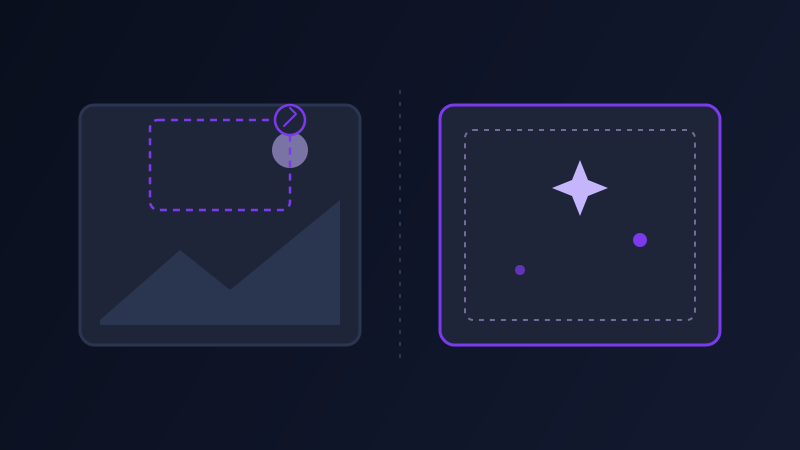
A prompt that generates a great image from nothing and a prompt that edits an existing photo look almost identical on the page, both a sentence or two describing what you want to see, and that similarity is exactly what causes most AI photo edits to go wrong. Tools like Adobe Firefly’s Generative Fill, Google’s Gemini image editing (widely nicknamed Nano Banana), and ChatGPT’s image editing all accept a prompt and an existing image together, and a prompt written the way you would write for Midjourney or DALL-E from a blank canvas tends to either ignore the photo you uploaded or regenerate far more of it than you wanted changed.
Why an editing prompt needs different information than a generation prompt
Generating from scratch, the model only has your words to work from, so a prompt has to fully describe the whole scene: subject, setting, lighting, style, everything. Editing an existing image, the model already has almost all of that information sitting in the pixels you uploaded, and the prompt’s real job is telling it what to leave alone. A generation prompt that says "add a golden retriever sitting by the door" starts from nothing. The same words given to an editing tool with a photo of your living room attached also needs to communicate, implicitly or explicitly, that the rest of the room should stay exactly as it is, which a generation-style prompt never has to think about because there is no "rest of the room" to preserve.
The three things an editing prompt needs that a generation prompt doesn’t
What to change, named specifically: not "make it better" but the actual region or element, "the sky," "the shirt the person on the left is wearing," "the background behind the product." Vague edit targets get interpreted broadly, and a broadly interpreted edit tends to touch more of the image than intended. What to preserve, stated explicitly when it matters: most editing tools try to hold the rest of the image steady by default, but for anything where an unwanted small change would be obvious, a face, text, a logo, a specific texture, saying so directly ("keep the person’s face and expression exactly as it is") measurably reduces unwanted drift elsewhere in the frame. Style and lighting continuity: an edit that does not match the original photo’s lighting, grain, and color grade looks pasted in even when the edit itself is technically well executed, so a prompt describing the addition should also describe how it should sit in the existing light ("lit from the same direction as the rest of the room, matching the warm indoor tone").
Four editing tasks worth knowing how to structure
Object removal: name the object specifically and describe what should replace it ("remove the trash can on the right and extend the sidewalk and grass to fill the space") rather than just "remove the trash can," which leaves the model guessing what to put there instead. Background replacement: describe the new background in full, plus a note about matching the subject’s existing lighting and edge quality, since a swapped background with mismatched light direction is the single most common tell of an obvious edit. Style or lighting changes to a whole photo: specify what should stay fixed (composition, subject position) versus what should shift (color grade, time of day, mood), since an unscoped "make this moodier" can shift far more than the lighting alone. Extending an image beyond its original borders, known as outpainting: describe what should logically continue past each edge you are extending, since the model needs a description of the imagined space, not just an instruction to "make it bigger."

One edit at a time beats one prompt trying to do five things
A prompt that asks a tool to remove a person, change the background, adjust the lighting, and add a new element in one pass usually produces a worse version of each of those changes than several separate, smaller edit passes would. Editing models generally do best focused on one clearly scoped change at a time, checking the result, then applying the next edit on top of that result, closer to how a photo editor works through a series of layers than to how a single generation prompt tries to produce a finished scene in one shot. This is the opposite instinct from generation prompting, where combining detail into one rich, thorough prompt tends to help rather than hurt.
A worked example, before and after
Weak prompt: "make this photo look more professional," attached to a photo of a home office. No named target, no sense of what should stay fixed, so the model might change the lighting, the desk, the background, and the color grade all at once, and the result can barely resemble the original photo’s composition. Structured prompt: "Keep the desk, laptop, and the person’s pose exactly as they are. Replace only the cluttered bookshelf visible in the background with a plain, softly blurred neutral wall, matching the existing warm lighting and shallow depth of field." The second version names exactly what changes, exactly what stays fixed, and how the new element should match the existing light, leaving the model very little room to alter anything beyond the one region actually described.
Common mistakes
Writing an editing prompt the same way you would write a from-scratch generation prompt, describing the whole desired scene instead of the specific change, which tends to regenerate more of the photo than intended. Asking for several unrelated changes in a single prompt instead of applying them as separate passes. Leaving out a lighting or style match instruction and getting an edit that looks visibly pasted in even when the object itself renders well. Assuming "remove this object" is enough information, when the model also needs to know what should fill the space left behind.
Editing tools and generation tools are solving different problems even when they share a text box and a similar-looking prompt style. A generation prompt has to invent an entire scene from words alone. An editing prompt has to identify one specific, bounded change inside a scene that already exists, and say what should happen to everything around it. Prompts that treat those as the same task tend to either under-specify the change or over-specify the whole photo, and either one produces a worse edit than naming the actual region, the actual preservation, and the actual lighting match up front.
Frequently asked questions
Why does my AI image edit change more of the photo than I wanted?
Most often because the prompt described the change in vague terms, "make it better," "more dramatic," instead of naming a specific region or element, which the model interprets broadly. Naming the exact area to change, and stating what should stay exactly the same, narrows the edit to what you actually intended.
What is the difference between generative fill, inpainting, and outpainting?
Generative fill and inpainting both describe filling in or replacing a specific region inside an existing image, and the terms are largely used interchangeably across tools. Outpainting extends an image beyond its original borders, generating new content that continues logically past an existing edge rather than replacing something inside the frame.
Should I ask for multiple changes in one image editing prompt?
Generally no. Editing models tend to handle one clearly scoped change more reliably than several at once, so applying changes as separate passes, checking each result before the next, usually produces a cleaner outcome than one prompt trying to remove an object, swap a background, and adjust lighting all at the same time.
Why do edited objects sometimes look pasted into a photo even when they render well?
Usually because the prompt described the new element without describing how it should match the original photo’s lighting direction, color grade, and grain. An edit that is technically well rendered can still look obviously added if it does not account for the light and tone already present in the rest of the image.
Try Promptima’s Image prompt tools free →
✦ Try Promptima freeMore articles

Best AI Prompt Optimizer Tools in 2026 (And When to Use Each)
Prompt marketplaces, browser extensions, manual prompt engineering, and dedicated optimizers all solve a different version of the same problem. Here is how to tell which one you actually need.

How to Turn One Photo Into a Ready-to-Use AI Video Prompt
You have an image whose look you want to bring to life as a video. The problem is that video AI tools don’t read image prompts — they need camera, motion, and duration described in a completely different structure. Here’s how to bridge the two.