Midjourney vs DALL-E vs Stable Diffusion vs Firefly: How Image AI Prompts Actually Differ
July 30, 2026 · 10 min read
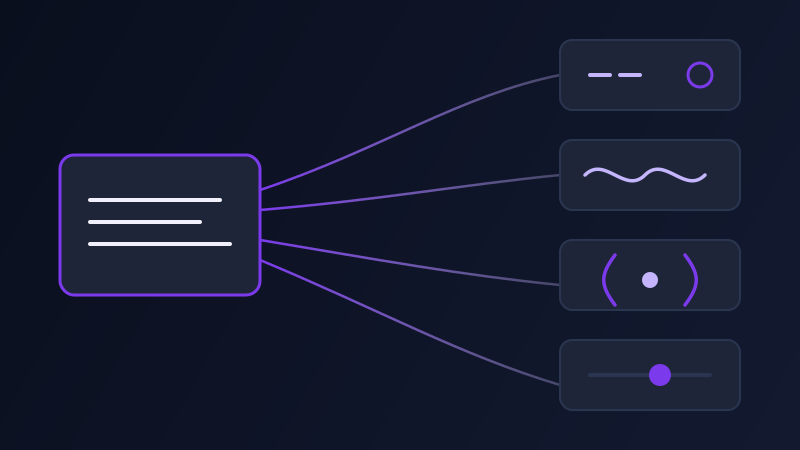
Ask four different image AI tools to draw the same idea using the same prompt, word for word, and you get four different kinds of failure, not just four different pictures. Paste a Midjourney prompt into DALL-E and the "--ar 16:9" you added shows up as literal text, sometimes ignored, sometimes rendered as clutter. Paste a Stable Diffusion prompt with weighted parentheses into Firefly and those parentheses do nothing at all. Midjourney, DALL-E (through ChatGPT), Stable Diffusion, and Adobe Firefly do not just have different visual styles baked in — they parse prompt text through completely different systems, and a prompt written for one is, at best, a rough draft for the other three.
Why the same prompt behaves differently on each platform
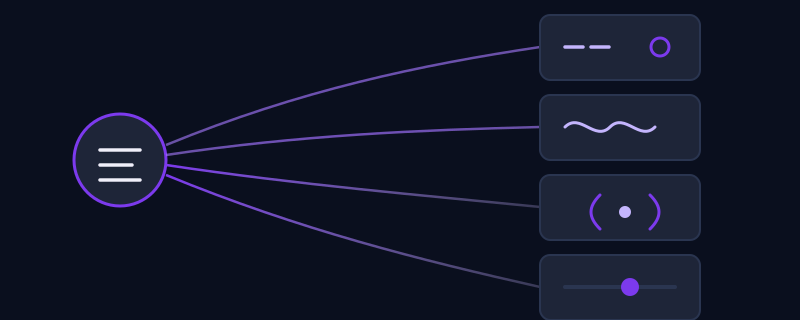
The core difference is how much of the prompt is machine-readable syntax versus how much is prose for a language model to interpret loosely. Midjourney sits at the syntax-heavy end: its parser looks for specific flags like --ar and --stylize and treats everything else as descriptive keywords weighted by position. Stable Diffusion, depending on the interface, adds its own syntax layer on top of the description — parenthetical weighting, a separate negative-prompt field. DALL-E and Firefly sit closer to the prose end: both are built to accept a normal sentence and do more of the interpretation themselves, which means the syntax tricks that work in Midjourney or Stable Diffusion often get read as literal words instead of instructions.
Midjourney: a prompt is half description, half command line
Midjourney’s prompt box functions almost like a command line with a description in front of it. The descriptive part follows a familiar layering — subject, style or medium, lighting and mood — and then a string of double-dash parameters instructs the actual rendering: --ar for aspect ratio, --stylize for how much Midjourney’s house aesthetic overrides a literal reading, --chaos for variation between results, --no as an exclusion keyword, and --seed to make a result reproducible. None of these are decorative; each maps to a specific setting in the rendering pipeline, which is exactly why they break when copied elsewhere. Outside Midjourney, "--ar 16:9" is not a flag — it is just five unrecognized characters sitting at the end of a sentence.
DALL-E: conversational, and it will rewrite you
DALL-E, used mainly through ChatGPT’s image generation, behaves less like a parser and more like a collaborator with its own opinions. It accepts a full natural-language description rather than a keyword string, and it has no equivalent to Midjourney’s parameter flags — there is no bracket syntax for aspect ratio or seed control; you ask for those in plain language ("in a widescreen format") and the model handles the rest. The behavior worth knowing about: ChatGPT frequently expands or reinterprets a short prompt on its own, adding details you did not specify. That is useful when your input is sparse, and unhelpful when you wrote a precise prompt and wanted it followed literally rather than embellished.
Stable Diffusion: prompt, negative prompt, and weighting as separate levers
Stable Diffusion, across interfaces like Automatic1111 or ComfyUI, splits the prompt into more distinct pieces than any of the others. Alongside the main description, there is typically a separate negative-prompt field — a place to explicitly list what you do not want (blurry, extra limbs, watermark, oversaturated) rather than trying to phrase every exclusion positively. Within the main prompt, parenthetical weighting like (detailed:1.3) or [soft lighting] nudges specific words up or down in influence, a level of granular control none of the other three tools expose directly in the prompt text. The other variable unique to Stable Diffusion is the model checkpoint itself: the exact same prompt run through a photorealistic checkpoint and an anime-tuned checkpoint can produce results that look like they came from entirely different prompts, because so much of the output is shaped by which trained model is answering, not only what you typed.
Adobe Firefly: description in the prompt, control in the interface
Firefly follows DALL-E’s pattern of accepting plain descriptive language rather than parameter syntax, but pushes more of the fine control into UI panels instead of the prompt text — style presets, effect strength, color and tone adjustments, and reference-image matching are typically dialed in as separate interface controls rather than typed as suffixes the way Midjourney’s flags are. Typing something like --stylize or a weighted parenthetical into Firefly’s prompt box does nothing useful; the tool is not listening for that syntax, and the equivalent control is a slider or preset sitting next to the prompt field, not inside it.
Translating one idea across all four
Take a single concept — a cozy reading nook beside a rain-streaked window, watercolor style, warm lamp light — and see how it has to change shape for each tool to actually use it correctly. Midjourney: "cozy reading nook beside a rain-streaked window, watercolor illustration, warm lamp light, soft muted palette --ar 4:5 --style raw --stylize 250" — description first, parameters last, exactly as the parser expects. DALL-E, via ChatGPT: "A cozy reading nook beside a window streaked with rain, painted in a soft watercolor style with warm lamplight glowing across the room in muted, gentle colors" — the aspect ratio and stylize intent get folded into descriptive language instead of flags. Stable Diffusion: a main prompt of "cozy reading nook, rain-streaked window, watercolor illustration, warm lamp light, soft muted palette, (detailed brushwork:1.2)" paired with a separate negative prompt of "blurry, harsh lighting, text, watermark, oversaturated" — two fields doing what one sentence did elsewhere. Firefly: the same plain sentence used for DALL-E, then the watercolor look and warm color balance get set through the style and tone panels next to the prompt box rather than typed into it at all.
Mistakes that show up when you move between them
Pasting Midjourney’s --ar and --stylize flags into DALL-E or Firefly, where they get read as literal, meaningless text tacked onto the description instead of being parsed as instructions. Expecting a negative-prompt field in DALL-E or Firefly and getting a worse result from trying to cram exclusions into positive phrasing neither model was built to parse that way. Assuming a Stable Diffusion prompt will look the same on a different checkpoint than the one it was written and tested against — it often will not, because the checkpoint is doing more of the interpretive work than in the other three tools. Typing weighted parentheses into any tool other than Stable Diffusion and getting the parentheses rendered as visible clutter in the output rather than treated as an instruction.
None of these four tools is doing it "wrong" — they are optimized for different levels of explicit control, and a prompt genuinely has to be restructured, not just copy-pasted, to move between them well. Once you have written a description for one tool, translating it into the format each of the other three actually expects is mechanical work rather than creative work, which is exactly the kind of task worth automating rather than repeating by hand every time.
Frequently asked questions
Can I use the same prompt in Midjourney and DALL-E?
Not directly. Midjourney’s prompt includes parameter flags like --ar and --stylize that DALL-E does not parse at all, so they show up as literal text rather than instructions. The subject and style description can carry over, but flags need to become plain-language phrasing for DALL-E to actually use them.
Does Stable Diffusion support negative prompts the way other tools do?
Stable Diffusion is the only one of the four with a dedicated negative-prompt field built into most interfaces, letting you explicitly list what to avoid, like blurry, watermark, or extra limbs. Midjourney has a --no flag for a similar purpose, but DALL-E and Firefly have no direct equivalent — exclusions have to be phrased as positive description instead.
Why do my Midjourney parameters show up as plain text in other tools?
Flags like --ar and --stylize only mean something to Midjourney’s own parser. Every other tool covered here reads the whole prompt as descriptive text, so those characters just get treated as extra, meaningless words tacked onto the end of your description.
Is there a faster way to adapt one prompt across Midjourney, DALL-E, Stable Diffusion, and Firefly?
Promptima takes one plain-language description and generates a version tuned to the syntax and conventions of whichever image tool you select, so you do not have to manually rewrite parameter flags, negative prompts, or interface-vs-prompt-text distinctions by hand for each one.
Write one description, get prompts tuned for Midjourney, DALL-E, Stable Diffusion, and Firefly at once →
✦ Try Promptima freeMore articles

Best AI Prompt Optimizer Tools in 2026 (And When to Use Each)
Prompt marketplaces, browser extensions, manual prompt engineering, and dedicated optimizers all solve a different version of the same problem. Here is how to tell which one you actually need.

How to Turn One Photo Into a Ready-to-Use AI Video Prompt
You have an image whose look you want to bring to life as a video. The problem is that video AI tools don’t read image prompts — they need camera, motion, and duration described in a completely different structure. Here’s how to bridge the two.