ChatGPT vs Claude vs Gemini: How to Write Prompts Each Model Actually Follows
August 3, 2026 · 9 min read
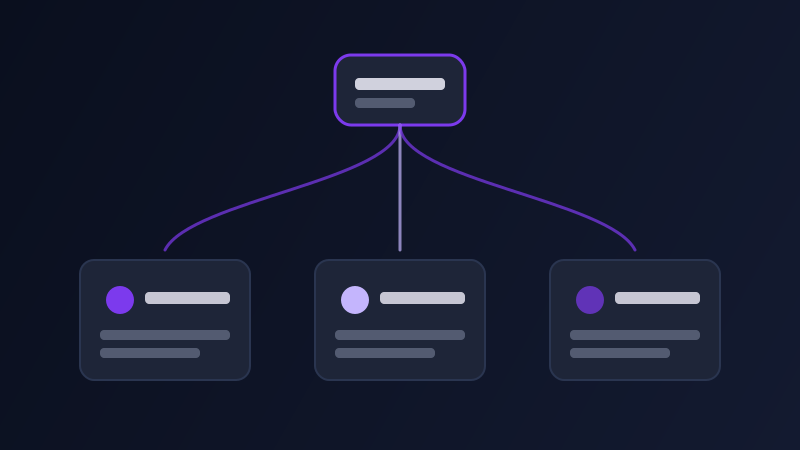
A prompt that works well in ChatGPT does not automatically work as well pasted straight into Claude or Gemini, even though all three are chat-style text models and the prompt box looks identical. The gap is smaller than the one between image tools, since none of these models require special syntax the way Midjourney does, but it is real: the three differ in how literally they follow step-by-step instructions, how they handle long or nuanced context, how willing they are to push back on a flawed request, and how they format structured output by default. A prompt tuned for one tends to need adjusting, not rewriting from scratch, to get the same quality out of the other two.
Why the same wording produces different results
Each model was trained with a different balance of instruction-following, reasoning, and safety behavior, and that balance shows up directly in how literally it treats your prompt. Some models default to strictly following the exact steps you list, in the exact order, even when a step is slightly wrong for the situation. Others weigh the overall intent of the request more heavily than the literal wording, filling gaps with what seems most reasonable rather than doing exactly what was typed. Neither behavior is objectively better, but a prompt written assuming one behavior can misfire on a model that does the other.
ChatGPT: structured, numbered instructions land well
ChatGPT tends to respond reliably to explicit, numbered instructions and role framing ("act as a senior editor, do these four things in order"), and it generally sticks close to a requested output format once you specify one clearly, including nested formatting like tables inside a longer response. It is also the model most people default to over-trusting: because it is fluent and confident by default, a request with a subtle logical gap can still come back polished and convincing rather than flagged as a gap, so structured constraints and explicit "do not do X" instructions matter more here than they might feel like they should.
Claude: plain context and reasoning over rigid steps
Claude tends to do better with a prompt that reads like an explanation to a competent colleague rather than a rigid numbered checklist: giving the actual context and the why behind a request, not just the literal steps, tends to produce a more considered answer, especially on nuanced or judgment-heavy tasks like editing, analysis, or anything with real tradeoffs. It also tends to be more willing to flag a problem with the request itself (an ambiguous instruction, a likely factual issue) rather than silently doing its best guess, which is useful when you want that pushback and mildly annoying when you just wanted the task done exactly as stated, so being explicit about which one you want ("just do it as written" versus "flag anything that seems off first") is worth adding.
Gemini: strong with structure, grounding, and explicit tone direction
Gemini tends to handle explicitly structured input and output well, including requests for strict formats like JSON or tightly defined tables, and its integration with Google’s ecosystem gives it an edge on tasks that benefit from more current information. Where it can drift from the other two is tone: without an explicit tone instruction, Gemini’s default register can land more formal or more clipped than what ChatGPT or Claude would produce from the same casual prompt, so a prompt asking for something conversational or informal tends to need that tone stated directly rather than implied.
Translating one prompt across all three
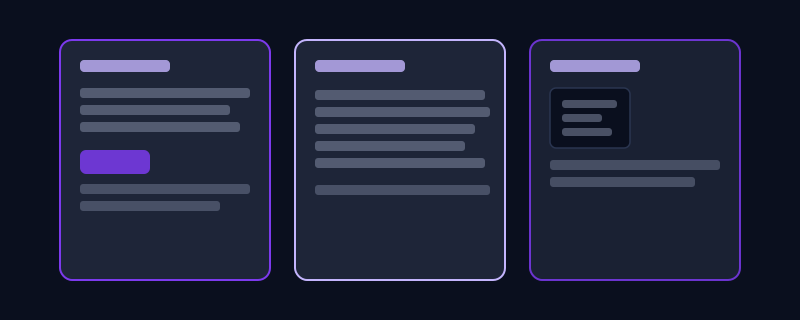
Take a single request: rewrite a dense paragraph of internal documentation into something a new hire could follow. For ChatGPT: "Act as a technical editor. Rewrite the following paragraph for a new hire with no prior context. Do this in three steps: (1) identify jargon and define it inline, (2) break run-on sentences into shorter ones, (3) add a one-line summary at the top. Paragraph: [text]." The numbered structure plays to how literally ChatGPT tends to follow sequenced instructions. For Claude: "Here is a paragraph of internal documentation that new hires have told us is hard to follow. Rewrite it so someone on their first week could understand it without asking a follow-up question, and briefly note anything in the original that seems ambiguous or missing entirely. Paragraph: [text]." The context and reasoning framing plays to Claude’s tendency to reason about the underlying goal, not just execute steps. For Gemini: "Rewrite the following paragraph for a new hire audience. Output strict JSON with two fields: rewritten_text and jargon_glossary (an array of term/definition pairs). Keep the tone conversational, not formal. Paragraph: [text]." The explicit output schema and the direct tone instruction play to Gemini’s strength with structured formats and its need for tone to be stated rather than assumed.
Common mistakes
Assuming a prompt that produces great results in one model will transfer as-is to another, then blaming the model when the output feels off instead of adjusting the prompt structure. Leaving tone unstated with Gemini and getting a more formal result than expected. Writing a rigid numbered checklist for Claude when a plainer explanation of the goal would get a more considered answer. Not specifying whether you want the model to just execute a request as written or to flag problems with it first, which changes how each model treats an ambiguous or flawed instruction.
None of these three models is "wrong" in how it interprets a prompt. Each was tuned with a different default balance between literal instruction-following and independent judgment, and a prompt genuinely benefits from being shaped around the specific model it is going to, rather than copy-pasted between them and expected to perform identically.
Frequently asked questions
Can I use the exact same prompt in ChatGPT, Claude, and Gemini?
You can, and it will usually produce a usable result in all three, but not an equally good one. The three models differ in how literally they follow step-by-step instructions, how much they reason about context versus execute exact wording, and how they default on tone and structure, so a prompt tuned for one often needs small adjustments to get the same quality from another.
Which chat model follows numbered instructions most closely?
ChatGPT tends to stick closely to explicit, numbered steps and requested output formats once you specify them clearly. Claude tends to weigh the overall intent and context of a request more heavily than the literal step order, which can produce a more considered result on nuanced tasks but a less literal one on strict step-by-step tasks.
Why does Gemini sometimes sound more formal than ChatGPT or Claude?
Without an explicit tone instruction, Gemini’s default register can land more formal or clipped than the other two models produce from the same casual prompt. Stating the tone directly (conversational, informal, blunt) rather than leaving it implied tends to close that gap.
Is there a faster way to adapt one prompt across ChatGPT, Claude, and Gemini?
Promptima takes one plain-language description of what you want and generates a version structured for the model you select, adjusting the instruction format, context framing, and output structure to match how that specific model tends to respond, instead of you manually rewriting the same prompt three different ways.
Write one prompt, get it tuned for the model you’re actually using →
✦ Try Promptima freeMore articles

Best AI Prompt Optimizer Tools in 2026 (And When to Use Each)
Prompt marketplaces, browser extensions, manual prompt engineering, and dedicated optimizers all solve a different version of the same problem. Here is how to tell which one you actually need.

How to Turn One Photo Into a Ready-to-Use AI Video Prompt
You have an image whose look you want to bring to life as a video. The problem is that video AI tools don’t read image prompts — they need camera, motion, and duration described in a completely different structure. Here’s how to bridge the two.