How to Write AI Prompts for Children’s Book Illustrations That Stay Consistent Page to Page
October 1, 2026 · 8 min read
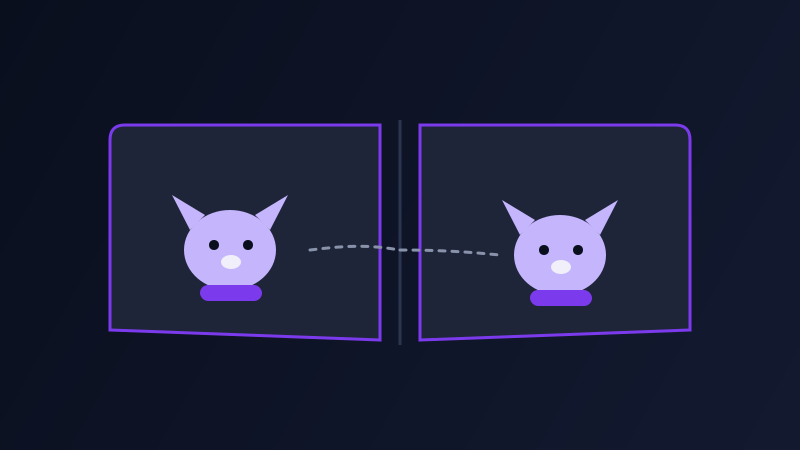
Children’s picture books live or die on one thing illustrations for other formats can get away without: the main character has to look like the same character on page one and page thirty. A reader, especially a young one, notices immediately if the fox has a slightly different snout or the wrong color scarf two pages later. That makes children’s book illustration one of the harder AI image use cases in practice, not because any single image is hard to generate, but because the project is really asking for dozens of consistent images, and most people’s prompting habits are built around generating one good image at a time.
Why a single great prompt isn’t the hard part
Describe a cheerful fox in a red scarf standing in a snowy forest, and most AI image tools will hand you something charming on the first or second try. The actual project, though, needs that same fox sitting by a fireplace, climbing a tree, and sleeping in a basket, all while still reading as the same character to a five-year-old. Run four separate, independently-written prompts for those four scenes and you will almost always get four different foxes: different proportions, different fur color, a scarf that changes from red to orange. The character design did not fail; it was never actually specified in a way a model could hold onto across unrelated generations.
Build a character sheet before you illustrate a single page
The fix is to treat the character the same way an illustration studio would: lock down a written description before writing a single scene prompt, and reuse that exact wording, almost verbatim, in every prompt for the rest of the book. Specify species and build, exact coloring (not "orange" but "warm copper-orange fur with a white underbelly and black-tipped ears"), the one or two accessories that make the character recognizable (the red scarf, never swapped for a similar one), and the art style in concrete terms (soft watercolor, flat vector, cel-shaded) rather than a vague word like "cute." Generate that description on its own first, as a clean reference image of the character against a plain background, before attempting any scene. That reference image becomes the thing every later prompt is measured against, including by you.
Reuse the reference, don’t just reuse the words
Written consistency alone only goes so far, because a model re-reading the same description for a new scene is still generating from scratch each time. Tools that support image references, feeding the earlier reference image back in alongside the new scene description, hold a character’s design together far more reliably than repeating the text description ever will on its own. If your tool does not support that, the next best option is generating several candidate images per scene and manually picking the one that most closely matches the reference, rather than accepting whichever version comes out first.

Keeping the art style steady across the whole book
Character consistency is only half the problem; style consistency is the other half, and it is easy to lose without noticing. Lock in the same style language in every single prompt, not just the first one: the same named medium (gouache painting, digital flat color, pencil and watercolor), the same lighting approach, the same line weight description. Avoid switching up descriptive synonyms between pages (soft lighting on page three, gentle glow on page four) even though they mean roughly the same thing to a person, because a model can render them in visibly different ways. The goal is a prompt template you fill in per page, not a freshly written paragraph each time: character reference plus style block plus scene-specific action and setting, in that order, every page.
Writing prompts a young reader’s book actually needs
Beyond consistency, children’s illustrations have their own content conventions worth building into every prompt: simple, uncluttered backgrounds that don’t compete with the character for a child’s attention, warm and non-threatening color palettes even in scenes with mild conflict, and expressive, readable faces since a young reader’s whole sense of a scene’s emotion often comes from the character’s expression alone. Naming the specific emotion in the prompt (the fox looks worried, the fox grins with excitement) produces a far more legible result than leaving emotion to be inferred from the action described.
Common mistakes
Writing a fresh character description for every page instead of reusing one locked version word for word. Changing a style descriptor slightly between prompts and ending up with pages that feel like they are from two different books. Judging each page’s illustration in isolation instead of side by side with the character reference and the previous page, which is the only way inconsistency actually becomes visible. And skipping the reference-image step entirely because the first illustration came out well, which only becomes a problem thirty pages later when nothing else matches it.
Frequently asked questions
How do I keep an AI-generated character consistent across a whole children’s book?
Write one detailed character description, including exact coloring, build, and signature accessories, and reuse it word for word in every page prompt rather than rewriting it each time. Generate a clean reference image of the character first, and feed that image back into the tool alongside each new scene description if your tool supports image references, since text alone tends to drift across many separate generations.
Why does my character look slightly different on every page even though I use a similar prompt?
Each generation is created independently, so even small differences in wording, like swapping "orange" for "warm orange" between prompts, can shift the result. The fix is locking the character description to one exact, reused wording and, where possible, anchoring new generations to a reference image rather than relying on the description alone.
What art style terms work best for children’s book illustrations in AI tools?
Concrete, named mediums work far better than vague style words: soft watercolor, flat vector illustration, gouache painting, or cel-shaded digital art all give a model something specific to render. A word like "cute" or "whimsical" on its own leaves too much open to interpretation and tends to produce inconsistent results page to page.
Should backgrounds be detailed in children’s book illustration prompts?
Generally no. Simple, uncluttered backgrounds keep a young reader’s attention on the character and the action, so it helps to explicitly describe the background as minimal or soft-focus in the prompt rather than leaving it open to a model that might otherwise fill the scene with competing detail.
Try Promptima’s Creative Writing prompt category free →
✦ Try Promptima freeMore articles

Best AI Prompt Optimizer Tools in 2026 (And When to Use Each)
Prompt marketplaces, browser extensions, manual prompt engineering, and dedicated optimizers all solve a different version of the same problem. Here is how to tell which one you actually need.

How to Turn One Photo Into a Ready-to-Use AI Video Prompt
You have an image whose look you want to bring to life as a video. The problem is that video AI tools don’t read image prompts — they need camera, motion, and duration described in a completely different structure. Here’s how to bridge the two.