Cursor vs GitHub Copilot vs Claude Code: How Prompting Actually Differs Between AI Coding Assistants
October 19, 2026 · 9 min read
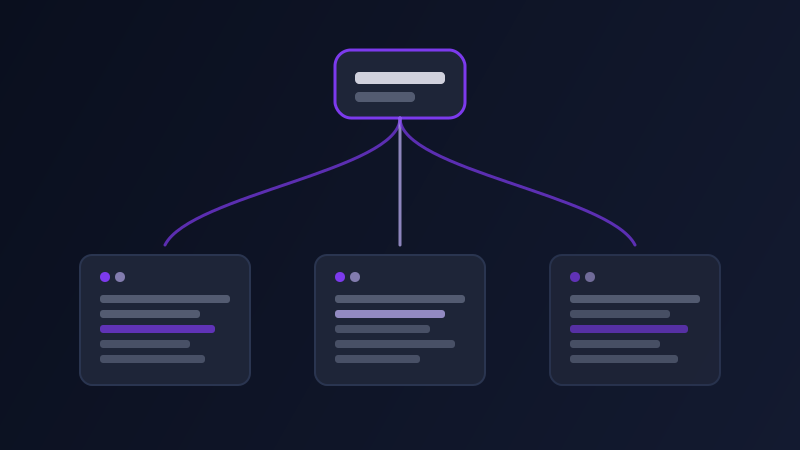
Ask "fix this bug" inside GitHub Copilot's inline suggestion, inside Cursor's chat panel, and inside Claude Code's terminal session, and you will get three different kinds of help back, not because one tool is smarter than the others, but because each one is built around a different unit of work. Copilot's strongest mode is still fast, local, line-by-line completion. Cursor is built around chat-driven edits across a few files you have open. Claude Code is built around autonomous, multi-step tasks across an entire repository, including running commands and tests itself. Treating all three as interchangeable "AI coding help" and sending the same kind of prompt to each one is why people report wildly different experiences with tools that are, underneath, all using capable models.
What each tool is actually optimized for
GitHub Copilot's core strength is inline, in-the-moment suggestion as you type, plus a chat panel for scoped questions about the code you have open. It is at its best with small, local asks, a prompt-style comment above a function describing what it should do, a chat question about what a specific block does, a request to extend a pattern that already exists elsewhere in the file. It is not built to independently plan and execute a change that spans a dozen files without you steering each step. Cursor is built around an editor-integrated chat and an "agent" mode that can read and edit multiple open files in a project, which makes it well suited to prompts like "refactor this component to use the new hook, and update its two callers," where there is a clear scope and the files involved are ones you can name or that Cursor can find from context. Claude Code is built around autonomous, longer-running tasks, read a codebase, make a plan, edit files, run the test suite, fix what breaks, repeat, which makes it suited to prompts that describe an outcome and let the tool figure out the steps, rather than prompts that specify the steps themselves.
Why the same prompt produces different quality across the three
A prompt written for one tool often underperforms in another because it is calibrated to the wrong scope. A Copilot-style prompt, terse, written like a code comment, "function to validate an email address," works well for Copilot because it is answering a narrow, local question, but the same terse prompt given to Claude Code wastes the tool's actual strength, which is planning and executing something larger, by giving it a task too small to need a plan at all. Conversely, a Claude Code-style prompt, "migrate this project's state management from Redux to Zustand, updating every component that uses it, and confirm the test suite still passes," given to Copilot's chat panel will get a well-intentioned partial answer, because Copilot's chat is not built to autonomously open every affected file and run a test suite itself, it is built to discuss and suggest within the files already in front of it. Matching the prompt's scope to what the tool actually executes, not just what it can describe in words, is the real skill here.
How to prompt each one for its actual strength
For Copilot: keep the ask local and let the surrounding code do contextual work for you. A comment describing the next function's purpose, written the way you'd describe it to a teammate reading the file top to bottom, outperforms a long explanation, because Copilot is pattern-matching against the file it can already see. For chat questions, reference the specific function or file by name rather than describing the problem abstractly, since Copilot chat answers best when it does not have to guess what "this" refers to. For Cursor: name the specific files or components in scope, or describe the pattern precisely enough that Cursor can locate them, and state the acceptance condition, "the existing tests for this component should still pass, update them if the interface changes," since Cursor's agent mode works best when given a bounded, verifiable task rather than an open-ended "clean this up." For Claude Code: describe the outcome and the constraints, not the step-by-step procedure, "add rate limiting to the API routes, using the existing middleware pattern in middleware/, and add tests," and let the tool plan its own sequence of file edits and command runs, since over-specifying the steps removes exactly the planning capability that makes an agentic tool worth using in the first place. Across all three, naming the actual files, patterns, or conventions already in the codebase, rather than describing the change in the abstract, consistently produces a more usable result, because all three tools do better work when they are extending something that already exists than when they are inventing a convention from scratch.
Four coding tasks worth matching to the right tool
A single function or small local fix: Copilot inline or chat, since the task is exactly the scope it is built for and does not benefit from an agent planning a multi-step approach to something this contained. A scoped refactor across a few open files with a clear acceptance condition: Cursor's agent mode, giving it the specific files and the condition that should hold true when it is done. A repository-wide task with multiple steps, adding a feature that touches several layers, migrating a dependency, fixing a bug whose root cause is not yet known and needs investigation across files: Claude Code or a similarly agentic tool, describing the end state and letting it investigate and plan. And a question about how existing code works, rather than a request to change it: any of the three chat interfaces handle this well, since it is a narrow, well-scoped question regardless of which tool answers it, and the choice mostly comes down to which one you already have open.
A worked example, before and after
Weak prompt, sent to an agentic tool: "fix the bug." No file, no symptom, no reproduction step, so even a tool built to investigate autonomously has to spend its first move just figuring out what "the bug" refers to. Weak prompt, sent to an inline assistant: "migrate our whole auth system to a new library" typed into a one-line inline comment, which asks for a multi-file architectural change in a context built for completing the next few lines. Structured prompt, matched to an agentic tool: "Users report being logged out after exactly ten minutes regardless of the remember-me setting. Investigate the session handling in lib/auth/, find the root cause, and fix it. Run the existing auth tests after the fix." Structured prompt, matched to an inline or chat assistant: "In this file, add input validation to the signup form matching the pattern already used in the login form above it." Each version gives its tool a task sized to what that tool actually executes, not just what it can technically understand.
Common mistakes
Sending a terse, comment-style prompt to an agentic tool and getting a small, timid result because the tool matched the scope of the request rather than guessing you wanted more. Sending a sprawling, multi-step prompt to an inline or chat-only tool and being frustrated when it only partially addresses it, when the tool was never built to autonomously execute a plan that size. Describing the desired procedure step by step to an agentic tool, which removes the planning work that tool is actually good at and often produces a worse result than describing the outcome and constraints instead. Not naming the actual files, functions, or existing patterns in the codebase, which forces every tool to guess at conventions it could have simply matched if told where to look. And assuming a tool's underlying model capability is the main variable, when for these three tools the bigger difference most days is what scope of task each one is actually built to execute, not how smart the model answering you is.
None of this means one of these three tools is simply better than the others, each is built around a different unit of work, and most developers end up using more than one depending on the task in front of them. What matching the prompt's scope to the tool's actual execution model does is stop the recurring frustration of asking a narrow tool for a sweeping change, or asking a capable agentic tool a question so small it never gets to show what it is actually good at.
Frequently asked questions
Is Claude Code always better than Cursor or Copilot since it can work more autonomously?
Not for every task. Autonomy helps most on larger, multi-step, or investigative work where planning the approach is itself part of the job. For a single small fix or a quick completion, an inline tool like Copilot is often faster and just as effective, since there is no multi-step plan to benefit from.
Why does the same prompt work well in one coding assistant and poorly in another?
Because the three tools execute different scopes of work: inline completion, chat-scoped edits across open files, and autonomous multi-file tasks. A prompt sized for one scope, a terse comment or a sweeping multi-step request, usually underperforms when sent to a tool built for a different scope, even though all three may use capable underlying models.
Should I describe the exact steps to take when prompting an agentic coding tool like Claude Code?
Usually not. Describing the desired outcome and any real constraints, and letting the tool plan its own sequence of edits and checks, tends to produce better results than specifying each step yourself, since over-specifying removes the planning capability that makes an agentic tool worth using.
Can Promptima help write prompts for coding assistants like these?
Yes, Code is one of Promptima's built-in categories. Describe the coding task and which tool you are using, and Promptima structures the prompt to match that tool's actual scope, whether that is a narrow inline request or a broader outcome-and-constraints prompt suited to an agentic assistant.
Try Promptima’s Code category to structure a prompt for whichever coding assistant you use →
✦ Try Promptima freeMore articles

Best AI Prompt Optimizer Tools in 2026 (And When to Use Each)
Prompt marketplaces, browser extensions, manual prompt engineering, and dedicated optimizers all solve a different version of the same problem. Here is how to tell which one you actually need.

How to Turn One Photo Into a Ready-to-Use AI Video Prompt
You have an image whose look you want to bring to life as a video. The problem is that video AI tools don’t read image prompts — they need camera, motion, and duration described in a completely different structure. Here’s how to bridge the two.