How to Prompt for a Consistent Character Across Multiple AI Images and Video Clips
August 17, 2026 · 8 min read
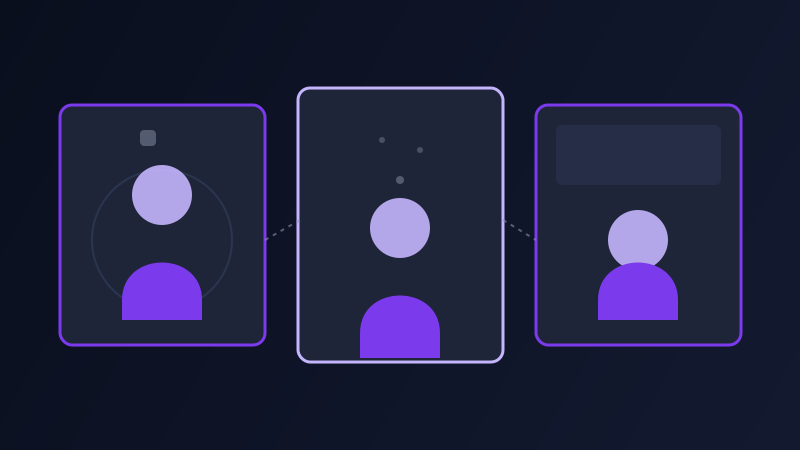
Generate a character once in Midjourney, love the result, then generate that same character again in a different scene, and you will usually get a stranger wearing similar clothes. The eyes are a slightly different shape. The jaw is narrower. The hair is roughly the right color but reads as a different cut entirely. This is not a bug specific to one tool, it is close to the default behavior of how these models generate images and video in the first place, and it is the single most common reason a character-driven project (a comic, a brand mascot, a multi-shot video ad) falls apart the moment it needs the same face in a second scene.
Why the same prompt doesn’t give you the same character twice
Image and video models generate from noise, sampling a new result each time even when the words describing what to generate stay identical, and a text description was never detailed enough to pin down fine facial identity in the first place. "A woman in her thirties with red hair and green eyes" describes millions of different faces that would all technically satisfy the prompt, so a fresh generation from that same text is free to land on a different one of those millions each time. Fixing the random seed helps a little, but only if every other word in the prompt stays exactly the same too, and the moment you change the scene, the pose, or the lighting to build an actual second image, the seed alone is nowhere near enough to hold the face still.
What actually helps: a reference image, not just better wording
Prompt wording is a weak lever for identity on its own, an actual reference image is a much stronger one, which is why the tools built for this problem lean on uploading or referencing an image rather than trying to out-describe the ambiguity in text. Midjourney’s character reference feature lets you point a new prompt at a previous image and carry that character’s face and features into the new generation. Tools built around image-to-image or IP-adapter-style references work the same way in principle: the reference image anchors identity while the new prompt text drives the scene, pose, and setting around it. On the video side, Kling, Runway, and several others now support uploading a reference image of a character directly, so the model has an actual face to hold onto across a clip instead of reconstructing one from a text description alone. Wherever a tool offers this, use it, since it does more for consistency than any amount of extra descriptive text in the prompt.
The description layer that still matters, even with a reference
A reference image does not make the written description optional. Most consistency tools blend the reference with whatever the new prompt describes, so a vague or contradictory redescription can still pull the result away from the source image rather than reinforcing it. Keep a short, exact set of identifying details (hair color, length, and style, eye color, build, any distinguishing mark, and a consistent description of the outfit) and repeat that same set of details in every prompt in the set, not just the first one. Treat it the way a casting sheet works for a film: the actor does not change between scenes, and neither should the words describing them, even as the scene, pose, and lighting around them change freely.
Four character-consistency tasks worth knowing how to structure
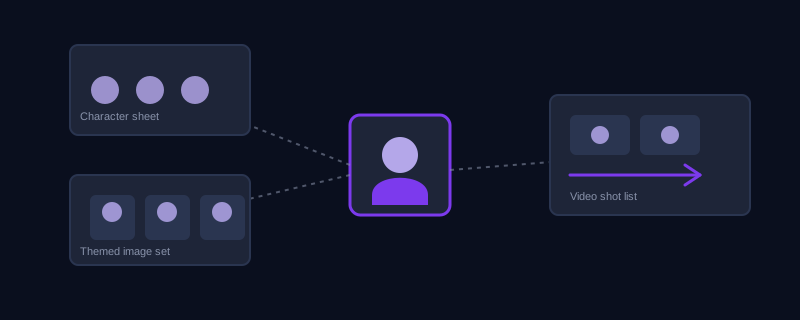
Building a character sheet before using the character anywhere else: generate the same character from a few different angles and expressions first (front-facing, three-quarter turn, one clear close-up), and use the strongest of those results as the reference image for everything that follows, rather than trying to design the character and use it in a finished scene in the same generation. Reusing a character across a themed set of images: state explicitly what needs to stay fixed (the face, the hair, the outfit) and what is allowed to change freely (the pose, the setting, the lighting), since leaving that boundary unstated lets the model treat every detail, including the ones you needed to hold still, as fair game to reinterpret. Carrying a character from a still image into a video clip: upload the reference image rather than redescribing the character from scratch, and let the prompt focus almost entirely on the motion and camera, since re-describing a face the model already has a reference for just gives it a second, possibly conflicting version to reconcile. Holding a character steady across multiple shots in one video, the way Kling or Seedance-style tools structure a numbered shot list: repeat the same fixed identity description, or the same reference image, at the start of each individual shot rather than assuming the model remembers the character from the shot before it, since a shot list is closer to reloading the reference for every scene than continuing one unbroken memory of the character.
Where consistency still breaks down
Even with a reference image and a precise description, identity can still drift under a few specific conditions: an extreme angle change (a straight-on face reference asked to produce a full profile), a major lighting shift, or a pose demanding significant foreshortening all give the model more room to reinterpret features it only has one reference angle for. A numbered shot list holds identity best when the change between consecutive shots is moderate rather than extreme, which is one more reason a character sheet with a few different angles up front is worth the extra step: it gives later generations more than one reference to draw from instead of one single straight-on image being asked to inform every possible angle.
A worked example, before and after
Weak approach: regenerating the prompt "woman with red hair in a leather jacket, standing in a city street" for three different scenes, changing only the setting each time, and getting three visibly different women back. Structured approach: generate a character sheet first and keep the strongest front-facing result as a reference image. For each new scene, upload that reference and write a prompt like "same character from reference: red hair in a shoulder-length blunt cut, green eyes, black leather jacket over a white t-shirt, mid-20s build. Standing at a rain-slicked crosswalk at night, neon signage reflected on the wet pavement, three-quarter angle, cinematic lighting." The reference anchors the face, and the repeated, exact description keeps the hair, eye color, and outfit from drifting even as the scene, lighting, and angle change completely.
Common mistakes
Relying on prompt wording alone to hold a face consistent when the tool actually offers a reference-image feature that does the job far more reliably. Redescribing the character loosely in each new prompt instead of repeating the same exact identifying details every time, which gives a reference-blending tool a reason to drift toward the new, vaguer description. Skipping a character sheet and going straight to a finished scene, leaving the model with only one reference angle to work from for every later shot. Assuming a video model remembers a character from an earlier shot in the same clip without being told again. Asking for an extreme angle or lighting change in the very first attempt at a new scene, instead of testing a moderate change first and confirming identity holds before pushing further.
None of this makes a generated character behave exactly like a hand-drawn or filmed one across every possible use, and it is not meant to. What it does is remove the two things actually causing most of the drift: relying on text alone to hold down a level of detail text was never built to pin down, and treating a reference image as optional once it exists. Anchor the face with an actual reference wherever the tool allows it, keep the written description exact and repeated, and the same character starts showing up scene after scene instead of a new stranger every time.
Frequently asked questions
Why doesn’t the same character prompt produce the same face twice?
Image and video models generate from noise each time, and a text description isn’t detailed enough to pin down fine facial identity on its own, since a phrase like "a woman with red hair and green eyes" still describes millions of different possible faces. Without a fixed reference image anchoring the result, each new generation is free to land on a different one of those faces.
Does fixing the random seed keep a character consistent?
On its own, not reliably. A fixed seed helps only if every other word in the prompt stays identical, and the moment you change the scene, pose, or lighting to build an actual second image, the seed is nowhere near enough to hold the face steady by itself.
What is the most reliable way to keep a character consistent?
An actual reference image, uploaded through a tool’s character reference or image-to-image feature, rather than more descriptive text. Text is a weak lever for fine identity, while a reference image gives the model something concrete to anchor the face to, on top of whatever the new prompt describes for the surrounding scene.
Can I carry a character from a still image directly into a video clip?
Yes, on tools that support uploading a reference image for video generation, such as Kling and several others. Upload the reference rather than redescribing the character from scratch, and focus the written prompt mostly on the motion and camera, since re-describing a face the model already has a reference for just risks giving it a conflicting second version to reconcile.
Turn one character description into prompts that stay on-model across a set →
✦ Try Promptima freeMore articles

Best AI Prompt Optimizer Tools in 2026 (And When to Use Each)
Prompt marketplaces, browser extensions, manual prompt engineering, and dedicated optimizers all solve a different version of the same problem. Here is how to tell which one you actually need.

How to Turn One Photo Into a Ready-to-Use AI Video Prompt
You have an image whose look you want to bring to life as a video. The problem is that video AI tools don’t read image prompts — they need camera, motion, and duration described in a completely different structure. Here’s how to bridge the two.