How to Write AI Prompts for Customer Support That Sound Like a Person, Not a Bot Script
September 7, 2026 · 8 min read
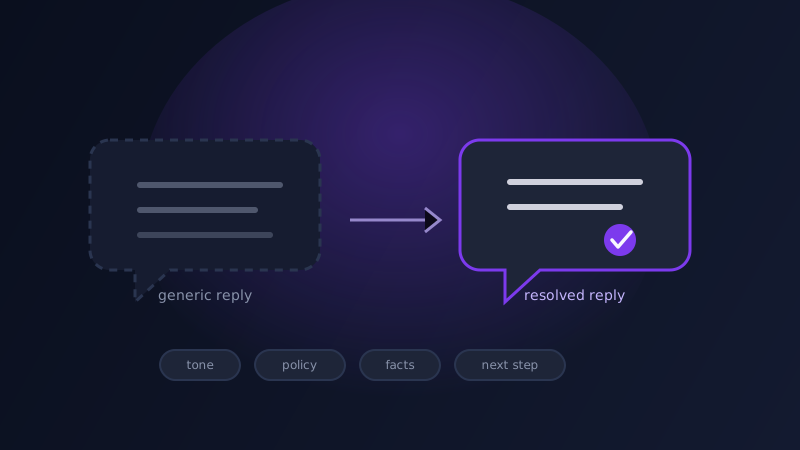
Ask an AI tool to 'write a reply to this customer complaint' and you will usually get something that sounds like a support reply and does none of the job of one: an apology up front, a restatement of the problem the customer already described, and a closing line thanking them for their patience, with no actual resolution anywhere in the middle. It reads as polished and professional right up until the customer notices that nothing in it answers their question, and at that point the polish works against you, because a generic-sounding reply to a specific problem reads as if nobody actually looked at the ticket.
Why a support reply prompt fails in a specific way
Most writing prompts fail by being vague. Support prompts fail by being both vague and confident at the same time, which is a worse combination. A model asked to reply to a support ticket without being told what is actually allowed (can this customer get a refund, an extension, a replacement, or none of those) will still produce a fluent, warm-sounding answer, because sounding warm is easy and getting the policy right is the part that actually required information it was never given. The result is a reply that reads well and might promise something the company cannot actually deliver, or hedge so completely that the customer is left without an answer at all, dressed up in empathetic language that makes the non-answer harder to spot on a first read.
The four things a support prompt needs that a general reply prompt doesn't
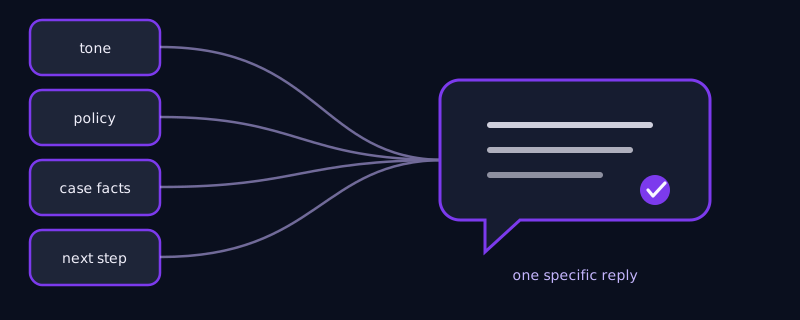
Tone calibration, named specifically rather than left to a default: an angry customer whose order is three weeks late needs a different opening than someone asking a simple how-to question, and a prompt that just says 'be friendly and professional' gets the same middle-of-the-road tone for both, which reads as tone-deaf to the customer who is actually upset. Policy boundary, stated as a hard fact rather than left for the model to guess: what this customer is and is not eligible for, so the model is not inventing a refund policy that sounds reasonable but is wrong. The specific facts of the case, pasted in rather than paraphrased: the order number, the actual error message, the exact date something shipped, because a reply that gets one of these details wrong reads as automated even when every sentence around it is well written. And a concrete next step, not a vague closing line: what happens next, when, and who owns it, since 'we're looking into it' is the single most common phrase that makes a reply feel like nothing actually happened.
Matching the prompt to the kind of message you're actually answering
A frustrated escalation (a customer who has already contacted support twice about the same issue) needs a prompt that leads with acknowledgment of the repeated contact specifically, not a generic apology, and gets to the resolution fast rather than building up to it, since a long, careful explanation reads as stalling to someone who has already waited. A simple how-to question needs almost the opposite: skip the empathy language entirely and lead with the answer, since padding a straightforward question with reassurance before answering it is what makes AI-written support replies feel bloated compared to what a competent human agent would just say in two sentences. A refund or billing dispute needs the policy boundary named explicitly in the prompt itself, word for word, because this is the category where a fluent but incorrect answer causes the most damage. A bug report needs the reply to separate what is confirmed from what is still being investigated, since promising a fix timeline the engineering team has not actually committed to is a specific and common failure mode when a model is left to fill in a plausible-sounding timeline on its own.
A worked example
A generic prompt: 'write a reply to this customer who says their order hasn't arrived.' Typical result: an apology, a restatement that late deliveries are frustrating, and a closing offer to 'look into it,' with no actual information in the middle. A prompt built the way described above: 'Reply to a customer whose order #48213 shipped on the 2nd and is now 6 days past the estimated delivery window. This is their second message about it. We can offer a full refund or a reshipment with expedited shipping at no cost, customer's choice, but not both. Tone: direct and apologetic for the repeated contact, not effusive. End with a specific next step and a timeframe.' The result names the order, acknowledges the repeated contact without over-apologizing, states the two real options instead of a vague 'we'll make it right,' and ends with something the customer can actually act on instead of a promise to follow up later.
Common mistakes
Asking for a 'friendly, professional, empathetic' reply and nothing else, which produces the same warm, padded tone regardless of whether the situation calls for speed, precision, or genuine sympathy. Leaving the policy boundary out of the prompt and letting the model infer what the customer is owed, which occasionally produces a confident answer that promises something outside what the company actually allows. Pasting in a paraphrased summary of the customer's issue instead of the actual details (the real order number, the real error text), which is how a reply ends up technically responsive but subtly wrong in a way the customer notices immediately. Ending the prompt without asking for a specific next step, which is the single biggest reason an otherwise well-written reply still feels like nothing was resolved.
A support reply is not primarily a writing task, it is an information task wearing a writing task's clothes. The tone, the policy boundary, the exact facts of the case, and the concrete next step are what actually resolve a ticket, and a prompt that skips them will still get a fluent reply back, just not one that does the job the customer is waiting on.
Frequently asked questions
Why do AI-written support replies sound like a bot even when they read smoothly?
Usually because the prompt gave the model a topic (reply to this complaint) without the specific facts, policy boundary, or next step the situation actually needs, so the model fills those gaps with fluent but generic language, apologies, vague reassurance, a promise to look into it, that reads as competent but resolves nothing.
Should every support reply prompt include an empathetic tone instruction?
No. A frustrated escalation benefits from acknowledgment before the resolution, but a simple how-to question is better served by skipping the empathy language and leading straight with the answer, since padding a quick question with reassurance is what makes a reply feel bloated compared to a direct human answer.
How do I stop the AI from promising something outside our actual policy?
State the policy boundary in the prompt itself, what this customer is and is not eligible for, as a hard fact rather than leaving it for the model to infer. Without that detail, the model produces a confident, well-written answer that can just as easily promise something the company cannot actually deliver.
Can Promptima generate support reply prompts automatically?
Promptima's prompt generation can structure a support reply prompt around the tone, policy boundary, case facts, and next step a specific ticket needs, tuned to whether the message is a frustrated escalation, a routine question, or a billing dispute, rather than producing the same generic template for every message type.
Try Promptima's prompt generator for support replies, tone and policy details included →
✦ Try Promptima freeMore articles

Best AI Prompt Optimizer Tools in 2026 (And When to Use Each)
Prompt marketplaces, browser extensions, manual prompt engineering, and dedicated optimizers all solve a different version of the same problem. Here is how to tell which one you actually need.

How to Turn One Photo Into a Ready-to-Use AI Video Prompt
You have an image whose look you want to bring to life as a video. The problem is that video AI tools don’t read image prompts — they need camera, motion, and duration described in a completely different structure. Here’s how to bridge the two.