How to Write AI Product Photography Prompts That Look Like a Real Shoot, Not a Generic Render
August 24, 2026 · 7 min read
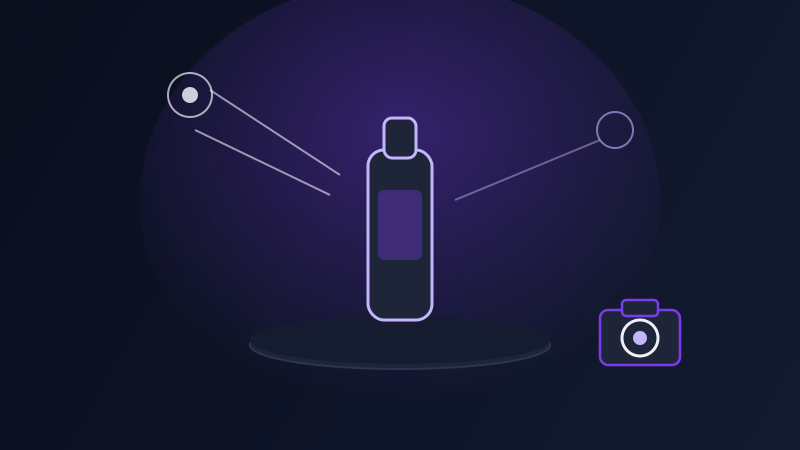
Generate a product image from a one-line prompt (a bottle of serum on a white background) and you will usually get something technically correct and completely unusable: proportions slightly off from the real product, a background that looks like nothing a real studio would light that way, and a surface finish that reads as plastic-rendered rather than photographed. Product photography prompts fail in a specific, recognizable way that general image prompts do not, because the bar is not 'does this look good,' it is 'does this look like a real photograph of this exact product,' and that second bar requires a different set of details than a prompt for a landscape or a portrait ever needed.
Why product prompts need to work harder than other image prompts
Most image prompts have room to be interpreted loosely, since a slightly different sky color or a reimagined pose is still a usable result. A product prompt does not have that room, because the product itself is not negotiable: the bottle's proportions, the label's position, the material's actual finish are fixed facts, not creative choices, and a prompt that leaves them to the model's imagination will get a plausible-looking product that is not the one you are actually selling. This is the same trap that shows up in prompts for consistent characters across a campaign, where a description that is vivid but not specific enough lets the model regenerate a slightly different version of the same subject every time instead of holding it steady, except a product shot has even less tolerance for drift than a character does, because a viewer who already knows what the product looks like will notice a mismatch immediately.
The details a product prompt needs that a generic prompt does not
Surface and material description carries more weight in product photography than almost any other prompting context: naming the actual finish (brushed aluminum, matte ceramic, glossy glass, soft-touch plastic) tells the model how light should behave on the surface, and skipping it is the single most common reason a generated product looks like a smooth, generic render instead of a photographed object. Lighting setup, named the way a photographer would name it (a single soft key light from the upper left, a ring light for an even beauty-product glow, natural window light for a lifestyle feel), does more to sell realism than almost any other instruction, because uneven or flat lighting is the fastest visual tell that an image was generated rather than shot. Background and context need to be specific to the shot's purpose, not just 'clean background': a stark white seamless background for a marketplace listing reads completely differently from a styled surface with soft shadow for a brand page, and naming which one you need keeps the model from defaulting to whichever is statistically most common in its training data. And camera and lens language (a straight-on eye-level shot for a packshot, a slightly elevated angle with shallow depth of field for a lifestyle shot), borrowed directly from photography vocabulary, gives the model a concrete framing to aim for instead of an ambiguous 'nice angle.'
Matching the prompt to the shot type you actually need
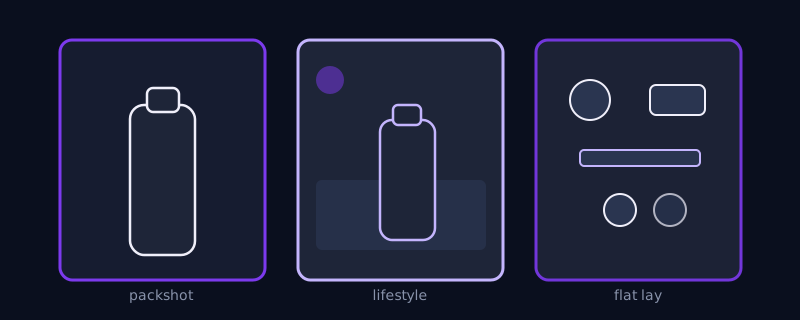
Different product shots need different emphasis, and naming the shot type at the start of the prompt changes what the rest of the details should focus on. A packshot, the clean, isolated product image used on a marketplace listing or a product detail page, needs the most exacting instructions on background (pure white or a named neutral) and lighting (even, shadow-controlled), since accuracy matters more than mood. A lifestyle shot, showing the product in use or in context (a coffee mug on a kitchen counter in morning light), needs the opposite balance: more detail on the environment, the time of day, and the mood, with the product description still precise but no longer the only thing in frame. A flat lay, several products or a product with its components arranged from directly above, needs explicit instruction on the overhead angle and the arrangement logic (grouped by color, spaced evenly, one hero item slightly larger), since flat lays are one of the compositions models most often get subtly wrong without a specific angle instruction. And a detail or macro shot, a close-up on a texture, a stitch, a closure mechanism, needs the surface and material language from the previous section pushed even further, since at that scale the material's realism is the entire image.
Common mistakes
Describing the product only in general terms (a skincare bottle, a pair of sneakers) instead of the specific details that make it the actual product being sold, then being surprised the generated result looks like a different, generic version of the category. Naming a background as 'clean' or 'professional' without specifying white, neutral, or styled, leaving the model to guess which one a marketplace listing versus a brand page actually needs. Skipping lighting language entirely and accepting whatever the model defaults to, which tends to be flat and even in a way that reads as rendered rather than photographed. Asking for a lifestyle shot and a packshot's worth of product accuracy in the same prompt, when a lifestyle shot's whole purpose is atmosphere and a packshot's whole purpose is isolation, and trying to get both at once usually produces a shot that satisfies neither goal well.
A product photography prompt is doing a narrower, more exacting job than most image prompts: not inventing something new, but reproducing something that already exists convincingly enough that a customer trusts what they are looking at. The material, the lighting setup, the background choice, and the shot type, named specifically rather than left general, are what carry that job, and skipping any one of them is usually visible in the result even to someone who could not say exactly what looked wrong.
Frequently asked questions
Why does my generated product image look plastic or fake even when the prompt describes the product accurately?
That is almost always a missing surface and lighting description, not a problem with how the product itself is described. Naming the actual material finish (matte, glossy, brushed metal, soft-touch) and a specific lighting setup (a single soft key light, an even ring light) gives the model the information it needs to render how light should behave on that surface, and without it the model defaults to a smooth, evenly lit look that reads as rendered rather than photographed.
What's the difference between a packshot prompt and a lifestyle shot prompt?
A packshot prompt should spend most of its detail on the product itself and an exact, controlled background and lighting setup, since the goal is accuracy and isolation, the kind of image used on a marketplace listing. A lifestyle shot prompt still needs the product described precisely, but shifts more of its detail toward the environment, the time of day, and the mood, since the goal is showing the product in a believable context rather than isolating it.
How do I keep a product looking consistent across multiple generated images?
Reuse the same specific product description, the same material and color language, word for word, across every prompt in the set, rather than rewriting the description each time and letting small variations creep in. The same discipline that keeps a character consistent across a campaign, anchoring on the exact same descriptive details every time, applies directly to keeping a product looking like the same object across a packshot, a lifestyle shot, and a detail shot.
Can Promptima generate prompts for different product shot types automatically?
Promptima's prompt generation is built to turn a description of your product and the shot you need into a structured prompt with the material, lighting, background, and camera details a specific shot type actually requires, tuned for the image model or platform you are using, rather than leaving you to remember which details a packshot needs versus a lifestyle shot.
Try Promptima's prompt generator for product photography, shot-type details included →
✦ Try Promptima freeMore articles

Best AI Prompt Optimizer Tools in 2026 (And When to Use Each)
Prompt marketplaces, browser extensions, manual prompt engineering, and dedicated optimizers all solve a different version of the same problem. Here is how to tell which one you actually need.

How to Turn One Photo Into a Ready-to-Use AI Video Prompt
You have an image whose look you want to bring to life as a video. The problem is that video AI tools don’t read image prompts — they need camera, motion, and duration described in a completely different structure. Here’s how to bridge the two.