How to Write AI Prompts for Event Invitations and Posters That Don't Look Like a Templated Flyer
October 19, 2026 · 8 min read
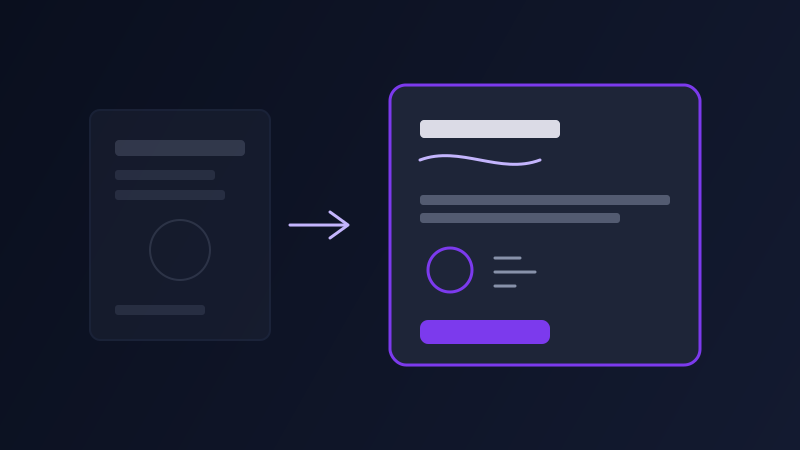
Type "design a wedding invitation" into an AI image tool and you will get the same handful of looks back no matter what you actually asked for: gold foil script on cream card stock, a thin botanical border, maybe a watercolor wash in blush or sage. It is competent and it is also the exact same output a thousand other couples got this year, because the prompt gave the model nothing to distinguish your event from the generic category "wedding invitation." The same thing happens with birthday posters, corporate event flyers, and baby shower invites: a bare request for the object produces the most statistically common version of that object, not a design that reflects the actual event, venue, or tone you have in mind.
Why "make it elegant" and "make it fun" do not work
Tone words without a reference point are nearly meaningless to an image model, because "elegant" and "fun" each describe an enormous range of actual designs, and the model has to guess which specific one you mean from almost nothing. "Elegant" could mean minimalist and type-driven, or it could mean ornate gold flourishes, and those produce completely different cards. The fix is replacing the adjective with something concrete: instead of "elegant," describe the actual visual decision, "a single line of serif type centered on an off-white background with no illustration, a thin gold rule above and below the names." Instead of "fun," specify the actual elements: "bright confetti shapes in three colors scattered around the border, a bold rounded typeface for the headline." The concrete version gives the model one design to aim for instead of a category to pick a cliché from.
The five inputs an invitation or poster prompt actually needs
The event itself, stated specifically: not "a party" but "a 30th birthday dinner for twelve people at a restaurant," since the scale and formality of the event should visibly show up in the design, and a model told only "a party" has no way to know whether that means a backyard barbecue or a black-tie gala. A color and material direction, not a mood word: "deep green and brass, printed on matte card stock" gives the model an actual palette to render, where "sophisticated" does not. The information hierarchy, meaning what text actually needs to be legible on the final piece, names, date, time, location, RSVP details, since a beautiful design that buries the date in decorative script nobody can read has failed at the one job an invitation has. A layout reference instead of a vague structure: "centered symmetrical layout with the headline at the top third" or "asymmetrical with text in the lower left and most of the card open space" produces a real composition, where "nicely laid out" produces whatever default the model reaches for. And a format and use constraint: whether this needs to work as a printed 5x7 card, a square Instagram story, or a poster meant to be read from ten feet away all change what detail level and text size are actually usable, and leaving that unstated means the format you get may not fit the format you need.
Matching the design to the actual event, not the category
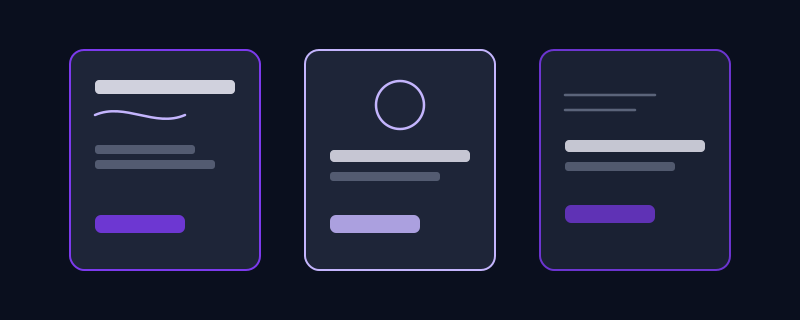
A themed kids' birthday party, a formal corporate gala, and a casual backyard engagement party are all "events," but treating them as the same prompting problem is exactly how you end up with the generic result. A themed kids' party benefits from naming the actual theme elements directly, "dinosaurs in a jungle, bright primary colors, a rounded playful typeface," rather than "fun kids party design," since the specific theme is doing most of the visual work. A formal corporate event benefits from naming the brand constraint if there is one, "navy and silver to match our logo colors, no illustration, text-forward," since corporate invitations usually need to look restrained rather than decorative. A casual outdoor party benefits from naming the actual setting, "string lights and an outdoor wood table, warm evening light, hand-lettered feel," since that specific setting produces a visibly different card than a generic floral template does. The detail that makes each of these different from a stock template is never the word "invitation," it is the three or four facts about this particular event that a generic prompt would have left out.
Four invitation and poster tasks worth prompting separately
A single hero design to approve first: generate one strong version at low detail or a quick draft setting before committing to a full-resolution final, since invitation designs often need a round of feedback on layout and color before the specific wording and details are locked in. A text-safe version for printing: once a design is approved, prompt specifically for a version with generous empty space in the areas where names, date, and RSVP text will be added, either by the image tool directly or by a designer afterward, since a gorgeous design with no room left for required text creates real production problems. A matching set across formats: request the same visual style adapted to a second format, a save-the-date postcard that matches an invitation, or an Instagram story version of a printed poster, by explicitly referencing the first design's colors and layout rather than starting over, which keeps the set looking like one cohesive design rather than three unrelated ones. And a simplified version for a specific physical use case: foil stamping, letterpress, and engraving all have real limits on fine detail and color gradients that a purely digital design ignores, so when a design is headed for one of those processes, ask explicitly for a version using flat color blocks and thicker lines rather than fine gradients and tiny ornamental detail.
A worked example, before and after
Weak prompt: "design an elegant wedding invitation." No color direction, no layout, no sense of the actual wedding, so the result is the default gold-and-botanical look every stock site already has a hundred versions of. Structured prompt: "Design a wedding invitation for an evening ceremony in a restored barn venue. Color palette: deep forest green and warm cream, no gold foil or floral borders. Centered symmetrical layout, serif typeface for the couple's names as the largest element, smaller sans-serif for date, time, and venue below. Leave generous empty space at the bottom third for RSVP details to be added separately. Format: 5x7 printed card, vertical orientation." The result reflects an actual venue and palette instead of the generic template look, and the layout instruction means the RSVP information will not get lost in decoration.
Common mistakes
Describing the mood instead of the actual visual decision, "elegant," "fun," "modern," without naming what specifically makes it that, which leaves the model to guess from an enormous range of options. Leaving out the information hierarchy entirely, so critical details like the date or RSVP instructions end up visually buried under decorative elements that were never asked to make room for them. Asking for the same generic category, "a birthday invitation," "a holiday party flyer," without naming anything specific to the actual event, which is the single biggest reason the result looks like a stock template instead of your event. Requesting a final, print-ready design before approving the basic layout and color direction first, which means any change after the fact means starting over rather than adjusting one approved draft. And forgetting the format constraint, designing a dense, detail-heavy composition for something that will actually be viewed as a thumbnail-sized Instagram story, where most of that detail will be illegible.
None of this guarantees a print-ready final file, color accuracy on an actual printer and fine text legibility at the real physical size still need a check before anything goes to a print shop. What naming the real event details, the actual palette, and the information hierarchy does is skip past the generic template look that a bare category request defaults to, and get you to a design that actually looks like it was made for your event instead of borrowed from a catalog.
Frequently asked questions
Why do AI-generated wedding invitations all look so similar?
Because a prompt that only says "wedding invitation" gives the model nothing but the category to work from, and it defaults to the most common visual pattern associated with that category, which is the gold foil and botanical border look seen on most stock template sites. Naming an actual color palette, venue detail, and layout structure is what produces something distinct.
How do I make sure the date and RSVP details are actually readable on an AI-designed invitation?
State the information hierarchy directly in the prompt, which text needs to be most prominent and where the supporting details should sit, and ask for generous empty space in the area where final text will be added. A design approved purely on looks, without this instruction, often buries essential details under decoration.
Should I design the full invitation set (invite, save-the-date, thumbnail version) in one prompt?
Generate and approve one hero design first, then prompt for each additional format by referencing that approved design's colors and layout explicitly, rather than generating all formats at once. That keeps the set visually consistent and avoids committing to a full set before the core design is right.
Can Promptima help with invitation and poster design prompts specifically?
Yes, Design is one of Promptima's built-in categories. Describe the event, the palette or mood you have in mind, and what text needs to appear, and Promptima structures it into a prompt that asks the underlying image tool for the layout and hierarchy details that keep the design from defaulting to a generic template look.
Try Promptima’s Design category to turn an event idea into a usable invitation prompt →
✦ Try Promptima freeMore articles

Best AI Prompt Optimizer Tools in 2026 (And When to Use Each)
Prompt marketplaces, browser extensions, manual prompt engineering, and dedicated optimizers all solve a different version of the same problem. Here is how to tell which one you actually need.

How to Turn One Photo Into a Ready-to-Use AI Video Prompt
You have an image whose look you want to bring to life as a video. The problem is that video AI tools don’t read image prompts — they need camera, motion, and duration described in a completely different structure. Here’s how to bridge the two.