How to Write AI Prompts for Fashion and Apparel Design That Look Production-Ready, Not a Mood Board
October 15, 2026 · 9 min read
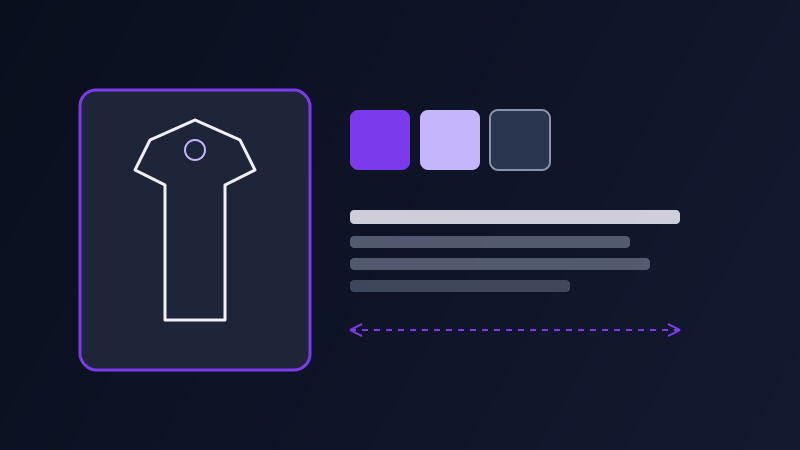
Ask an AI image tool for "a stylish winter coat" and you will get something that photographs well and means almost nothing to anyone who has to actually make it. Fashion and apparel design prompts fail in a specific way that other image prompts do not: the output can look completely convincing, lighting and styling included, while skipping every detail a pattern maker, a merchandiser, or a buyer would actually need to evaluate the piece. A beautiful render of the wrong silhouette is still the wrong silhouette.
Why apparel prompts need more than "describe the garment"
Most AI image prompting advice focuses on subject, style, and lighting, which works for a portrait or a landscape because the viewer only needs to recognize the scene. A garment is different: it has construction that has to read correctly even in a still image, a fabric behavior that changes how it drapes and moves, and a fit that depends on which part of the body it is shown on and how. A prompt that nails the aesthetic but never specifies the neckline, the closure, or how the fabric falls leaves an AI model to invent those details, and it usually invents something generic rather than something sewable.
The garment brief: what to specify before anything else
Garment type and silhouette first, named specifically rather than generally: not "a dress" but "a fit-and-flare midi dress with a dropped waist." Construction details next: neckline, sleeve length and shape, closure type (zipper, buttons, wrap tie), hemline, and any seaming or paneling that defines the shape. Fabric and texture third, since this changes the render more than almost any other variable: a structured wool coat holds sharp edges and stands away from the body, while a silk slip dress clings and pools with soft, heavy folds. Naming the fabric by behavior, not just by name, like "lightweight cotton poplin that holds a crisp fold" produces a far more accurate drape than just writing "cotton."
Describing fit and body on the model
Fit is where generic prompts fall apart fastest. "Loose fit" and "oversized" read very differently to an AI model than "fitted through the waist, releasing into a flare below the hip," and the vaguer the fit language, the more likely the model defaults to a standard runway-straight silhouette regardless of what you actually designed. If the piece is meant to be shown on a specific body type, in a specific pose, or from a specific angle (three-quarter, front-facing, a seated pose to show how a fabric pools), say so directly, the same way you would specify camera angle in a product photography prompt. Leaving pose and angle unspecified is how you end up with a flattering hero shot that happens to hide the one design detail you actually wanted to show off.
Keeping a design consistent across colorways and views
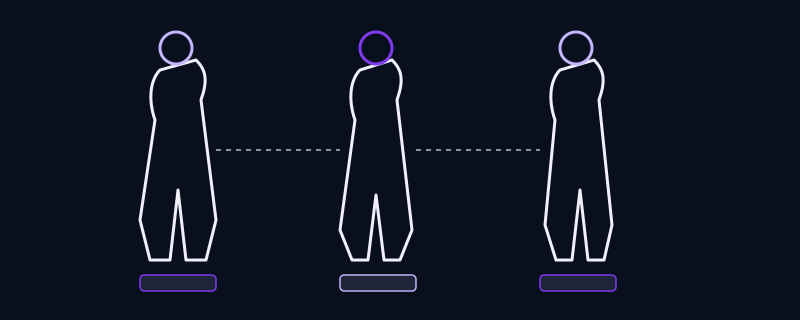
Brands rarely need one image of one garment, they need the same design shown in multiple colorways, or from front and back, or on different body types for a size-inclusive campaign. The reliable way to do this is to lock every construction detail in the prompt (silhouette, neckline, closure, seaming, fabric behavior) and change only the one variable you are actually testing, such as the color or the camera angle. A prompt that changes five things at once, hoping the garment stays recognizable, usually produces three different garments that happen to share a color palette. If the tool supports reference images, uploading the first accepted render and prompting variations from it holds the silhouette far more reliably than re-describing it from scratch each time.
Moving from concept sketch to something closer to a tech pack
A finished AI apparel render is not a substitute for an actual technical drawing or spec sheet, but a prompt can get meaningfully closer to one by asking explicitly for a flat lay or technical-sketch style rather than a styled photo: "flat technical fashion sketch, front and back view, line art with annotated stitching, no model" produces something a pattern maker can actually look at, where a styled lifestyle photo cannot. Deciding which of the two you need before writing the prompt, a presentation-ready concept image or a construction-oriented sketch, changes almost every other word that follows.
Common mistakes
Describing the garment only by category and color ("a red dress") and letting the model invent every construction detail, which is how a design brief turns into a random guess. Using vague fit adjectives like "flowy" or "edgy" instead of describing what the fabric and silhouette actually do. Changing too many variables between colorway variations and losing the silhouette in the process. Asking for a styled photo when what the team actually needs is a flat technical sketch that shows construction clearly.
Frequently asked questions
Why does my AI fashion render look good but not match my actual design idea?
Usually because the prompt described the aesthetic (mood, color, styling) but left construction details like neckline, closure, seaming, and fabric behavior unspecified. The model fills those gaps with a generic, photogenic default rather than the specific garment you had in mind, which is why the image can look polished while still being the wrong design.
How do I keep a garment design consistent across different colorways?
Lock the full construction description, silhouette, neckline, closure, seaming, and fabric behavior, in the prompt, and change only the color between versions. If the tool supports reference images, generating one accepted version first and then prompting color variations from that image holds the silhouette more reliably than rewriting the full description each time.
What is the difference between a styled fashion photo prompt and a technical sketch prompt?
A styled photo prompt asks for a model, lighting, and mood, and is meant for presentation or marketing. A technical sketch prompt asks for a flat lay or line-art style, often front and back view with no model, and is meant to communicate construction clearly enough for a pattern maker or manufacturer to evaluate. Deciding which one you need changes most of the rest of the prompt.
Does naming a specific fabric actually change the AI render?
Yes, more than almost any other variable. A structured wool coat holds sharp edges and stands away from the body, while a silk slip dress clings and pools in soft folds, and an AI model renders those very differently. Describing the fabric by how it behaves, not just its name, like "lightweight cotton poplin that holds a crisp fold," produces a far more accurate drape than naming the material alone.
Turn a rough clothing idea into a production-ready design prompt →
✦ Try Promptima freeMore articles

Best AI Prompt Optimizer Tools in 2026 (And When to Use Each)
Prompt marketplaces, browser extensions, manual prompt engineering, and dedicated optimizers all solve a different version of the same problem. Here is how to tell which one you actually need.

How to Turn One Photo Into a Ready-to-Use AI Video Prompt
You have an image whose look you want to bring to life as a video. The problem is that video AI tools don’t read image prompts — they need camera, motion, and duration described in a completely different structure. Here’s how to bridge the two.