How to Write AI Prompts for LinkedIn Posts That Don't Read Like Everyone Else's Thought Leadership
October 12, 2026 · 8 min read
Open LinkedIn on any given morning and you can usually spot the AI-written posts within the first line, not because the grammar is bad, but because the structure is identical across accounts that have nothing else in common. A short, punchy opener. A personal-sounding anecdote that somehow always resolves into a business lesson. A line break after almost every sentence. A bolded takeaway at the end, often starting with the words 'The lesson?' or 'Here's what I learned.' None of this is a coincidence. It is what happens when thousands of people type a rough idea into a chatbot and accept the first draft, because the model has a very strong, very specific idea of what a 'LinkedIn post' sounds like, and that idea came from training on millions of posts that already looked like this.
Why AI-written LinkedIn posts all sound the same
A model asked to write something in a given format tends to produce the statistical center of that format, the version that shows up most often in its training data rather than the version that is actually distinctive. LinkedIn's dominant style for the last several years has been short declarative sentences, an early personal hook, and a tidy moral at the end, so that is exactly what a plain 'write me a LinkedIn post about X' prompt returns. The result reads fine in isolation. It stops reading fine the moment someone scrolls past five other posts built on the identical scaffolding in the same ten minutes, which on LinkedIn today is close to a guarantee.
The structure almost every prompt defaults to, and why it backfires
Ask a model for a LinkedIn post with no further direction and it will almost always reach for the same five-beat shape: a contrarian or vulnerable opening line, a short story with a clear beginning and a clean resolution, a turn where the narrator realizes something, a business lesson extracted from that realization, and a closing question inviting comments. Each beat works on its own. Stacked together with no variation, they read as formula, and readers who are on LinkedIn daily recognize the formula within a sentence or two, before they have any reason to care what the post is actually about. The fix is not a better version of this structure. It is naming, in the prompt, which parts of this default shape you actually want and which ones you want the model to skip entirely.
What to put in the prompt instead
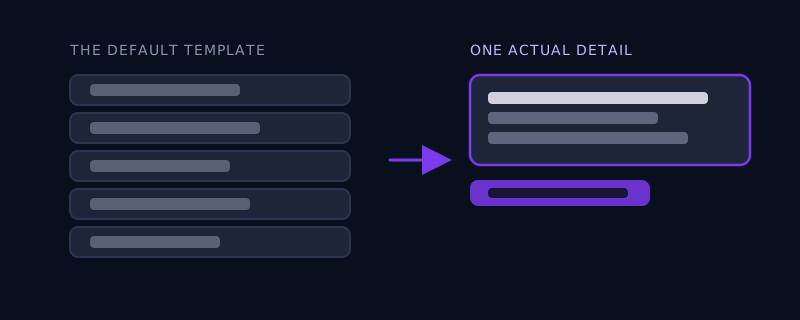
A prompt that produces something worth reading needs three things a generic one skips: a real specific detail that only applies to your situation, an explicit instruction about which structural beats to drop, and your actual opinion rather than a request for 'insights.' Specificity: instead of 'write about a lesson I learned managing a team,' give the model the actual situation, for example 'I approved a hire I had doubts about because the rest of the panel was enthusiastic, and it didn't work out,' so the post has one true, ownable detail a template can't fake. Structural instruction: tell the model explicitly to skip the rhetorical question at the end, skip the 'The lesson?' framing, and not open with a one-line hook designed to interrupt the scroll, since naming what to avoid works far better than hoping the model infers your taste. Opinion: ask for the post to state a position and defend it, rather than asking for 'thoughts on X,' which invites the safest, most hedged version of an opinion a model can produce.
A worked example
Generic prompt: 'Write a LinkedIn post about the importance of giving your team autonomy.' This reliably returns the formula above almost word for word: a hook about a mistake, a short story, a bolded lesson, a question. A better prompt gives the model something to actually work with: 'Write a LinkedIn post arguing that most managers who say they give their team autonomy are actually just avoiding the harder job of setting clear expectations first. Use the example of a report I had who kept missing deadlines because I never defined what "done" meant for her role, not because she lacked initiative. Do not end with a rhetorical question. End with the actual point, stated plainly.' The second prompt gives the model a specific claim to argue, a real detail to anchor it, and an explicit instruction about the ending, and what comes back reads like someone saying something rather than performing the shape of saying something.
Matching the post to why you're actually posting
The right prompt also depends on what the post is actually for, which most people never specify. A post meant to build a following benefits from a clear, slightly provocative stance, because agreement and disagreement both drive engagement equally well. A post meant to demonstrate expertise to a narrow professional audience benefits from precision and restraint, a specific technical claim stated carefully rather than a broad lesson dressed up as universal wisdom. A post meant to simply stay visible between bigger updates can be short, direct, and skip the narrative structure altogether, something a template-driven prompt almost never produces because the model defaults to a full story arc regardless of whether the situation calls for one.
Common mistakes
Asking for 'a LinkedIn post' with no other direction and accepting the first draft, which guarantees the default five-beat template. Asking the model to sound 'authentic' or 'human,' which it cannot act on, since authenticity is not a style it can imitate, it is a specific true detail only you have access to. Letting the model invent the anecdote, which produces a story that sounds plausible but belongs to nobody, since real posts work because the reader senses the detail is too specific to be made up. And skipping the instruction about the ending, which is where the formula is most recognizable and easiest to simply tell the model to avoid.
Where Promptima handles this
Turning a rough idea like 'I want to post about something that happened with my team' into something worth publishing takes a few back-and-forth passes most people don't have time for: pulling out the one specific detail worth keeping, deciding which of the default structural beats to cut, and making sure the post ends on an actual point instead of a question. Promptima's text prompt optimizer builds those decisions into the prompt it generates from your rough idea, rather than handing back the same five-beat template everyone else's prompt already produces.
Frequently asked questions
Why do AI-written LinkedIn posts all sound so similar?
Because a plain prompt like 'write a LinkedIn post about X' asks the model to produce the statistical average of the format, and the dominant style on LinkedIn for years has been a short personal hook, a tidy story, and a bolded lesson at the end. The model reproduces that shape by default unless the prompt specifically tells it to deviate from it.
What's the single biggest thing to add to a LinkedIn prompt to make it sound less generic?
A real, specific detail from your actual situation that a template could not have guessed, a name, a number, a specific decision you made. Generic prompts produce generic anecdotes because the model has nothing true to anchor the post to, so it invents a plausible-sounding story instead.
Should I tell the AI to sound more 'authentic' or 'human'?
No, that instruction gives the model nothing to act on, since authenticity isn't a tone it can imitate, it comes from specific, true details only you have. Give it the real detail instead of asking for the quality that detail would produce.
Does the same advice apply to other AI chatbot writing, not just LinkedIn?
The underlying issue does: any format with a dominant, recognizable style online, eulogies, wedding toasts, cover letters, will produce a similarly generic result from a plain prompt, for the same reason. Naming the specific beats to skip and supplying a real, specific detail works as a fix across all of them, not just LinkedIn.
Try Promptima's text prompt optimizer to turn a rough idea into a post that sounds like you, not the template →
✦ Try Promptima freeMore articles

Best AI Prompt Optimizer Tools in 2026 (And When to Use Each)
Prompt marketplaces, browser extensions, manual prompt engineering, and dedicated optimizers all solve a different version of the same problem. Here is how to tell which one you actually need.

How to Turn One Photo Into a Ready-to-Use AI Video Prompt
You have an image whose look you want to bring to life as a video. The problem is that video AI tools don’t read image prompts — they need camera, motion, and duration described in a completely different structure. Here’s how to bridge the two.