Photorealistic vs. Stylized AI Image Prompts: Why the Same Idea Needs Completely Different Instructions
September 8, 2026 · 9 min read
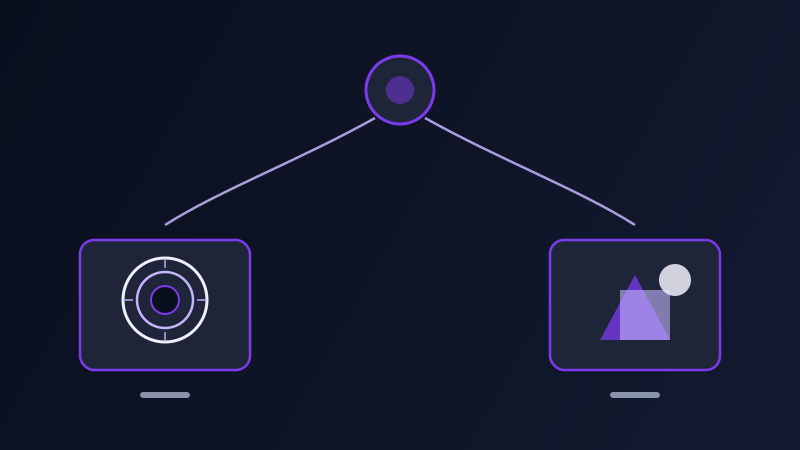
Type the same rough idea into an image model twice — once hoping for something that looks like a real photograph, once hoping for something that looks like a deliberate illustration — and the results usually land somewhere in between: not quite believable as a photo, not quite committed enough to read as art. That muddy middle is almost never the model's fault. It's what happens when a prompt doesn't clearly pick a lane, because photorealism and stylization are not two settings on the same dial, they're two different jobs with almost no shared vocabulary, and a prompt written for one rarely produces a strong result in the other.
Why the same prompt can't do both jobs well
A photorealistic prompt is trying to convince a viewer they're looking at something captured, not made — which means it has to think in terms of a camera that was present at a specific moment: what lens, what light, what angle, what imperfections a real sensor or a real lens would have introduced. A stylized prompt is trying to convince a viewer they're looking at something composed, not captured — which means it has to think in terms of a deliberate artistic choice: what medium, what linework, what level of simplification, what a human illustrator or a specific art movement would have chosen to include and leave out. Those are opposite premises. A photorealistic prompt that starts describing brushstrokes is undermining its own goal, and a stylized prompt that starts describing sensor grain and depth of field is chasing realism cues that fight against the flat, intentional look it's actually going for. The reason blended prompts produce a muddy result is that the model is being asked to simultaneously commit to "this was captured" and "this was drawn," and it hedges between both.
What actually makes a photorealistic prompt convincing
Camera and lens language is doing more work than most people expect: naming a lens length (an 85mm portrait lens compresses a background very differently than a 24mm wide angle), an aperture (f/1.8 for a shallow, blurred background versus f/8 for everything in focus), and a shot type (handheld, tripod-mounted, a specific angle like eye-level or slightly low) all push the model toward the optical behavior of an actual camera rather than a generic "photo" label. Light source and quality matter more than almost anything else in the prompt: naming where the light comes from (window light from camera-left, overcast diffuse daylight, a single tungsten lamp) and how hard or soft it is tells the model how shadows should fall, which is one of the fastest tells between a convincing photo and an obviously synthetic one. Small imperfections, named on purpose, push against the model's default tendency toward an artificially clean, over-smoothed result: slight film grain, a touch of motion blur, visible skin texture and pores, natural asymmetry in a face or a room. And a photorealistic prompt almost always benefits from naming what real photography looks like rather than naming the word "realistic" itself — "shot on a 50mm lens, natural window light, slight grain" gets you further than "ultra realistic, 8k, photorealistic" stacked as a list of intensifiers, because the first gives the model concrete optical facts to reproduce and the second gives it a vague aesthetic goal it has to guess how to reach.
What actually makes a stylized prompt convincing
A stylized prompt needs to name a medium or technique specifically, not just a vague style word: "flat vector illustration with bold outlines" gives the model something concrete to commit to, where "artistic" or "stylized" alone leaves it guessing between a hundred different valid interpretations and often produces a compromise that fully commits to none of them. Naming a level of simplification matters as much as naming the medium: a limited color palette (three or four colors, no gradients), simplified geometric shapes instead of literal anatomy, and flat color fields instead of rendered shading all signal that detail is being deliberately left out, not accidentally missing. Line quality is worth specifying directly for anything illustration-adjacent — a thin, consistent outline reads completely differently from a loose, sketchy line, and the model needs to be told which one rather than left to average between them. And unlike a photorealistic prompt, a stylized one benefits from naming an actual artistic reference point when one exists and is generic enough to be a legitimate style descriptor rather than a specific living artist's name — "mid-century travel poster," "risograph print texture," "cel-shaded anime style," "pastel gouache illustration" — because these carry an entire, internally consistent set of visual rules (palette, line, texture, composition) that would otherwise take a full paragraph to spell out individually.
The mistakes that produce the muddy middle
Stacking realism intensifiers ("photorealistic, hyperrealistic, 8k, ultra detailed") onto a prompt that's actually describing an illustration, which pulls the model toward rendering illustrated content with photographic lighting and texture — a common and specifically ugly failure mode, since neither the flat clarity of the illustration nor the believability of a photo survives the compromise. Doing the reverse — adding style words like "beautiful, artistic, dramatic" to a prompt meant to look like a real photo — which nudges the model toward its default aesthetic bias (a slightly glossy, over-lit, stock-photo look) instead of the specific optical honesty a photorealistic result actually needs. Describing the subject and scene in full but leaving out any technical or stylistic direction at all, which forces the model to guess which register you want and often lands on a generic middle ground that reads as neither a real photograph nor a deliberate illustration, just a vaguely rendered image. And switching registers mid-prompt without noticing — naming a camera lens in one sentence and a brushstroke texture in the next — which is the most literal version of asking for both jobs at once.
How this changes across tools
The general split holds everywhere, but different image tools lean differently by default, and knowing a tool's bias tells you how hard you need to push in a prompt. Tools built with a strong default aesthetic tend to soften photorealistic prompts toward their own house style unless the prompt actively fights that pull with specific camera and lighting language; the same tools often produce strong stylized results with comparatively little effort, since their default bias is already doing some of that work for you. Tools built to follow a prompt more literally, without much of a house style layered on top, tend to need more explicit direction in both directions — a bare "photo of a woman by a window" and a bare "illustration of a woman by a window" can come back looking surprisingly similar from a literal tool, because neither prompt gave it much to differentiate on. This is exactly the kind of difference a prompt tuned for one specific tool accounts for and a single generic prompt reused across tools does not, since the amount of realism or stylization language a prompt needs to include depends on how much the target tool already assumes on its own.
Deciding which one you actually want before you write the prompt
The fastest way to avoid the muddy middle is deciding the register before writing a single word of the actual scene description: is this meant to look like something a camera captured, or something a person composed and drew? That one decision determines almost everything that follows — whether the prompt should talk about lenses and light sources or mediums and line quality, whether small imperfections are an asset or a flaw, and whether an artistic reference point helps or actively works against the goal. A prompt that makes this decision explicit at the start, even in a single phrase ("shot as a photograph" versus "rendered as a flat illustration"), does more to separate a convincing result from a muddy one than any amount of additional descriptive detail piled onto an undecided prompt.
Frequently asked questions
Why does my AI image look fake even though I added "photorealistic" to the prompt?
Because "photorealistic" on its own is a vague aesthetic goal, not a concrete instruction. Naming actual camera and lighting facts — a lens length, an aperture, a specific light source and direction, a small imperfection like grain or natural asymmetry — gives the model something specific to reproduce, and consistently gets a more convincing result than stacking intensifier words like "photorealistic, 8k, ultra detailed" on a prompt that otherwise describes nothing optical.
Can one prompt work for both a realistic and a stylized version of the same idea?
Not well. Photorealistic and stylized prompts rely on almost entirely different vocabulary — cameras and light versus medium and line quality — and a prompt that mixes both registers tends to produce a muddy compromise that fully commits to neither. It's faster and more reliable to write two separate prompts from the same core idea than to try to make one prompt flexible enough to cover both.
Is it okay to name a specific art style in a stylized prompt?
Naming a generic, recognizable style or medium — mid-century travel poster, risograph print, cel-shaded anime, pastel gouache — works well and saves you from spelling out palette, line, and texture individually, since the style name already implies a consistent set of visual rules. Naming a specific living artist by name is a different situation worth avoiding on both ethical and practical grounds, and most image tools produce a comparably strong result from a described technique or movement instead.
Why do some AI tools produce realistic images with almost no camera details in the prompt?
Tools with a strong default photographic bias fill in a lot of that optical detail on their own, so a bare prompt can still come back looking like a photo. Tools built to follow a prompt more literally, without much of a default look layered on top, need that camera and lighting language spelled out explicitly to get the same result — which is why the same short prompt can look convincingly real in one tool and flat or ambiguous in another.
Does Promptima account for photorealistic vs. stylized when generating an image prompt?
Yes — Promptima's prompt generation adjusts for the target image tool and the look you're going for, building out camera, lens, and lighting language for a photorealistic result or medium, palette, and line-quality language for a stylized one, rather than applying the same generic descriptors regardless of which register the image actually needs.
Try Promptima's prompt optimizer — pick your target tool and it tunes the realism-vs-style balance for you →
✦ Try Promptima freeMore articles

Best AI Prompt Optimizer Tools in 2026 (And When to Use Each)
Prompt marketplaces, browser extensions, manual prompt engineering, and dedicated optimizers all solve a different version of the same problem. Here is how to tell which one you actually need.

How to Turn One Photo Into a Ready-to-Use AI Video Prompt
You have an image whose look you want to bring to life as a video. The problem is that video AI tools don’t read image prompts — they need camera, motion, and duration described in a completely different structure. Here’s how to bridge the two.