How to Write AI Presentation Prompts That Don’t Produce a Generic Slide Deck
August 17, 2026 · 8 min read
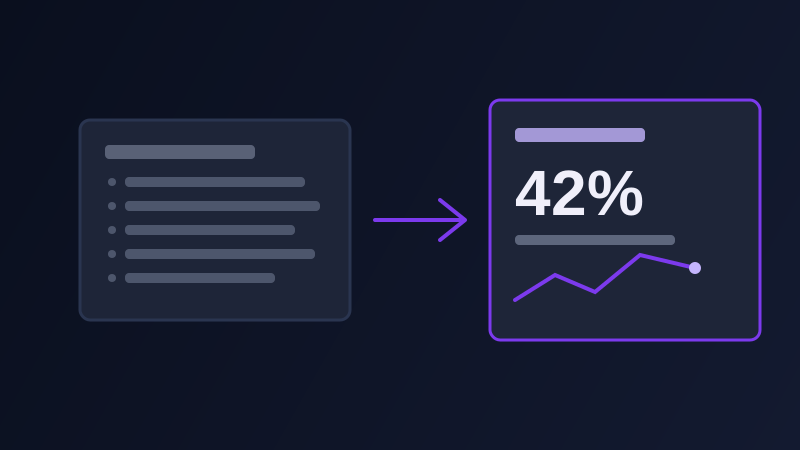
Ask ChatGPT, Gemini, or a dedicated tool like Gamma to build you a presentation about your Q3 results, or your product launch, or literally anything else, and it will hand back something structurally correct and almost completely forgettable: a title slide, an agenda slide, three or four content slides carrying four bullet points each, and a closing slide that says thank you. It will present cleanly. It will also look close to identical to the deck every other team building from the same one-line prompt got back, because a vague prompt gives a presentation tool nothing to build an actual argument around, only a topic to compress into slide-shaped chunks.
Why a vague presentation prompt turns into a bullet-point wall
A slide deck is not a document. A document can hold a full paragraph’s worth of nuance behind one idea; a slide has room for a single idea, stated once, and everything else in your source material has to either become a visual or get cut outright. An AI tool asked to summarize your Q3 results with no other direction cannot tell what actually deserves that one slide of attention, so it does what a summarizer always does: compress everything into an even ratio of bullets per slide, giving the one number that actually matters the same visual weight as three details nobody in the room needs to see. The deck it hands back is not wrong, exactly. It is a document wearing a slide layout, and everyone who has sat through one of these decks can feel the difference without being able to name it.
The five layers a presentation prompt needs
Audience: who is actually in the room, what they already know coming in, and what decision they are there to make, since a deck for a room of executives deciding on budget needs a completely different shape than one for a team learning a new process. One message per slide: state the single idea each slide needs to land, separate from the supporting data behind it, since a model asked only to summarize content has no way to know which idea deserves the spotlight and which details are just support. A narrative arc: is this deck building a case toward a recommendation, walking through a set of options, or reporting results that already happened, because the shape of a persuasive deck (problem, stakes, solution, ask) is a different structure entirely from a status update, and a prompt that names the arc gets an ordering the model would otherwise guess at. Format and delivery: how many slides, and is this presented live with a speaker narrating it or sent to be read alone, since a deck meant to stand on its own needs more on-slide context, not less, while a live deck can lean on a single bold number and let the speaker supply the rest. A constraint against bullet-point overload: explicitly ask for the fewest words that carry each point, and for a chart, a single stat, or an image to replace a bullet list wherever one would land the idea faster, since left alone a model defaults to bullets for almost everything, whether or not bullets are the clearest way to say it.
Four presentation prompt tasks worth knowing how to structure
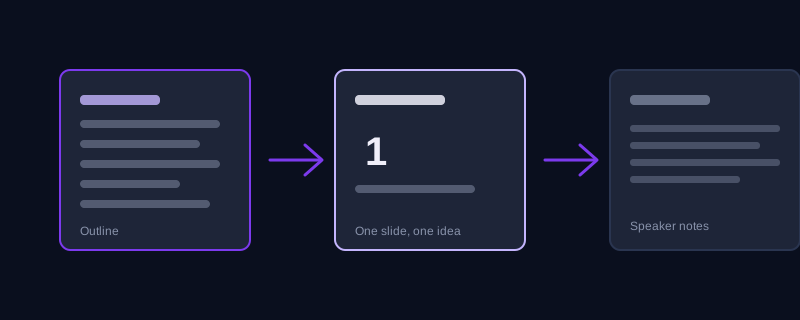
An outline before a full deck: ask for a slide-by-slide outline, one line per slide stating its core message, before asking for full slide content, since reviewing and adjusting a ten-line outline costs a minute and reviewing a wrong twenty-slide deck costs an afternoon. Content for a single slide, once the outline is set: give the model that one slide’s message plus the two or three supporting facts it needs, and ask specifically whether this slide wants a chart, a bulleted list, or a single large stat, rather than letting bullets be the automatic default every time. Speaker notes, separately from on-slide text: ask for what the presenter should actually say while that slide is up, distinct from what is printed on the slide itself, since collapsing the two produces slides so text-heavy nobody in the room reads them and notes so thin the speaker has nothing to add. Opening and closing slides specifically: these are the two slides most likely to default to a throat-clearing "Overview" opener and a generic "Thank You, Questions?" closer, so name what you actually want instead, a striking single stat to open on, or a specific recommendation and next step to close on, since neither of those is a bullet list of what came before.
Tell it what to cut, not just what to include
Naming what to leave out is often more useful than naming what to include, and it is the instruction most people forget to give. If a deck is the executive summary version of a longer report, say so, and say explicitly to skip the historical background, skip the full methodology, and skip anything the audience already knows. A model with no instruction to cut will try to represent your source material fairly and completely, which is exactly the instinct that produces a twenty-two slide deck when what the room actually needed was eight.
A worked example, before and after
Weak prompt: "make me a presentation about our Q3 results." No audience, no arc, no format, so the model produces an agenda slide, a revenue slide, an expenses slide, a headcount slide, and a thank you slide, each with four bullets pulled evenly from whatever numbers it was given. Structured prompt: "Build a slide-by-slide outline first, one line per slide, for a presentation to our five-person leadership team deciding whether to approve Q4 hiring. Audience already knows our Q3 topline; do not re-explain it. Build the case around one message: revenue grew faster than headcount, so the team is under-resourced for Q4 demand. Open on that single stat, not an agenda slide. Each slide should carry one idea and use a chart or a single number instead of bullets wherever possible. Close on the specific headcount ask, not a generic thank you slide." The second version gives the model an actual argument to build, tells it what the audience already knows so it stops re-explaining that, and names exactly what the first and last slides need to accomplish instead of defaulting to the two slides most decks waste.
Common mistakes
Asking for a full deck before reviewing an outline, then discovering the whole argument was built around the wrong message after twenty slides are already written. Leaving audience and format unstated and getting a deck built for nobody in particular, equally wrong for a live presentation and a stand-alone read. Letting bullets be the default shape for every slide instead of asking for a chart or a single stat where one would land faster. Treating the opening and closing slides as afterthoughts, when they are the two slides a room actually remembers, and the two most likely to come back generic if you do not name what you want from them specifically.
Frequently asked questions
Why do AI-generated presentations all look the same?
A vague prompt gives the tool nothing to build a real argument around beyond the topic itself, so it defaults to the most common deck shape it has generated before: a title slide, an agenda, a handful of even bullet-point slides, and a generic closing slide. Naming the audience, the core message, and the arc changes that.
Should I ask for the full deck or an outline first?
An outline first. Reviewing a one-line-per-slide outline takes a minute and catches a wrong argument before it becomes twenty slides of wasted content, while reviewing a full deck built on the wrong message costs far more time to fix.
How many bullet points should a slide have?
As few as the point actually needs, and often none. A slide can usually carry a single sharp stat, a short phrase, or a simple chart more effectively than a bulleted list, and explicitly telling the model to prefer those over bullets tends to produce a deck that is easier to read at a glance.
Is there a faster way to structure a presentation prompt than doing it by hand?
Promptima’s Business prompt category takes a plain description of the presentation you need and structures it with audience, core message, and format built in, instead of you assembling those layers by hand for every new deck.
Try Promptima’s Business prompt category free →
✦ Try Promptima freeMore articles

Best AI Prompt Optimizer Tools in 2026 (And When to Use Each)
Prompt marketplaces, browser extensions, manual prompt engineering, and dedicated optimizers all solve a different version of the same problem. Here is how to tell which one you actually need.

How to Turn One Photo Into a Ready-to-Use AI Video Prompt
You have an image whose look you want to bring to life as a video. The problem is that video AI tools don’t read image prompts — they need camera, motion, and duration described in a completely different structure. Here’s how to bridge the two.