Zero-Shot vs Few-Shot vs Chain-of-Thought vs Role Prompting: How These Four Techniques Actually Differ
August 11, 2026 · 10 min read
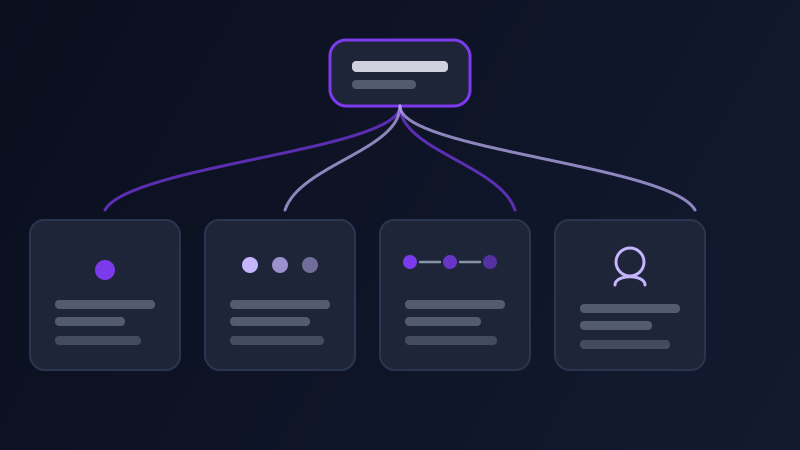
Zero-shot, few-shot, chain-of-thought, and role prompting all get filed under the same vague heading of "prompt engineering," which makes them sound like four flavors of the same trick. They are not. Each one intervenes on a different part of how a model produces an answer — what raw material it has to work from, whether it reasons through a problem before committing to a response, and what expertise or voice it is answering with — and each one fixes a different kind of bad output. Reaching for the wrong one, or reaching for only one when a task actually needed two working together, is a common reason a prompt that should have worked comes back flat, wrong, or unhelpfully generic.
Why the same request produces a different answer depending on how it’s framed
A one-line request like "write me a product description" and the same request wrapped in an example, a reasoning step, or an assigned role are not variations on the same prompt — they are different instructions about how the model should arrive at its answer, not just what the answer should contain. Zero-shot prompting gives the model nothing but the task itself, and it fills every gap with the single most statistically likely response it has seen for requests like that one. Few-shot prompting gives the model a pattern to match instead of a description to interpret, which narrows the guesswork considerably. Chain-of-thought prompting changes the order of operations entirely, asking the model to work through a problem in visible steps before landing on an answer, rather than jumping straight to a plausible-sounding conclusion. Role prompting changes neither the information nor the process, but the lens applied to both — the same facts, filtered through the assumptions and vocabulary of a specific kind of expert. None of these four is a strictly better version of another; each is suited to a different kind of failure, and knowing which failure you are looking at is most of the work.
Zero-shot prompting: fast, and only as good as the model’s default assumptions
Zero-shot prompting is the default mode of prompting — a plain instruction with no examples and no intermediate reasoning requested, relying entirely on the model’s training to produce a reasonable response on the first attempt. It is the fastest technique by a wide margin, and for tasks with a well-defined, common shape (summarizing a paragraph, translating a sentence, converting a list into a table) it works well precisely because the model has seen thousands of near-identical requests and has a strong, well-formed default to draw on. It starts to fail exactly where that default gets fuzzy: tasks with more than one reasonable interpretation, output formats that are unusual for the kind of request being made, or anything where "the obvious answer" is not actually the answer you wanted. Asking a model, zero-shot, to "classify this support ticket" without telling it the categories will produce categories — just not necessarily the ones your team actually uses, because the model invented a plausible taxonomy instead of using yours.
Few-shot prompting: showing instead of describing
Few-shot prompting adds two or three examples of the exact input-output pattern you want before asking the model to repeat it on new input, and it is the single most effective fix for a model producing technically-correct-but-wrong-shaped output. Where zero-shot prompting has to guess your target format from a description, few-shot prompting shows it directly: three examples of a support ticket paired with the category you actually assigned it teach the model your categories far more reliably than trying to describe eight category names and their boundary cases in prose. This matters most for tasks with a specific, non-obvious convention — a particular tone, a particular level of formality, a particular way of formatting a date or a code block — where explaining the convention in words is slower and less precise than simply demonstrating it. The tradeoff is length: each example costs real space in the prompt, and few-shot prompting tends to work best with two to five well-chosen examples rather than one, which is too little pattern to learn from, or a dozen, which adds length for diminishing returns.
Chain-of-thought prompting: asking for reasoning before the final answer
Chain-of-thought prompting asks the model to work through a problem step by step, explicitly, in the visible output, before stating a final answer, rather than producing a conclusion directly. This matters most for anything with a genuine logical or arithmetic structure: a multi-step calculation, a decision that depends on weighing several stated factors against each other, a diagnosis that needs to rule things out in a particular order. Models asked directly for a conclusion on this kind of task will sometimes produce a fluent, confident-sounding answer that quietly skipped a step, because nothing in the prompt asked it to show, or actually perform, the intermediate work. Adding something as simple as "think through this step by step before giving your final answer" measurably improves accuracy on reasoning-heavy tasks, because the intermediate reasoning has to actually happen in the output rather than being silently dropped on the way to a plausible-sounding conclusion. It is close to useless, and mostly just adds length, on tasks with no real reasoning chain to expose — asking a model to "think step by step" before writing a tagline does not give it anything to reason through, because there is no chain of logic a tagline depends on.
Role prompting: framing expertise, audience, and vocabulary
Role prompting assigns the model a persona before the actual task — "acting as a senior tax accountant," "as a blunt, experienced code reviewer," "as a children’s book author" — and it works by narrowing the model’s word choice, assumed audience, and level of caveat-adding toward whatever that role would actually sound like. The effect is real but narrower than people often expect: it reliably shifts vocabulary, tone, and which details get emphasized, but it does not grant the model actual credentialed expertise it does not otherwise have, and it will not make a wrong answer correct — a role-prompted wrong answer is often just a more confidently worded wrong answer. Where role prompting earns its keep is tasks where the same underlying facts genuinely should sound different depending on who is explaining them: a diagnosis explained to a worried patient and the same diagnosis explained to a colleague are the same information in a completely different register, and naming the role is a fast way to get that register right on the first attempt instead of over-explaining or under-explaining by default.

One task, four techniques — and where they combine
These four are not mutually exclusive, and the tasks that benefit most from prompt engineering at all are usually the ones that need two or three of them stacked together, not one used in isolation. Role prompting pairs naturally with almost anything else, since it changes the lens rather than the process — a role can sit on top of a chain-of-thought request or a few-shot pattern without conflicting with either. Chain-of-thought and few-shot combine especially well on structured reasoning tasks with a specific expected format: showing two worked examples that include the reasoning steps, not just the final answer, teaches the model both what to conclude and how to get there. The combination that tends to fight itself is heavy few-shot prompting stacked with a request for open-ended, creative output — three rigid examples can anchor a model so strongly to a pattern that it stops generating anything genuinely novel, which is the opposite of what a creative task usually wants. Take a single task and watch how each technique changes it: writing a paragraph for a performance review about an employee who has been missing deadlines. Zero-shot — "write a performance review paragraph about an employee who has been missing deadlines" — produces something usable and generic, a paragraph that could describe almost any employee at almost any company, phrased in the safest, most neutral language available, because that is the most common shape this kind of request takes in the model’s training. Few-shot — pasting two real paragraphs from past reviews written in your actual voice and format, followed by "write one more in the same style about an employee who has missed three project deadlines this quarter after being reliable for the two before" — produces a result that matches your organization’s actual tone and structure instead of a generic default. Chain-of-thought — "before writing the paragraph, list what changed for this employee, whether the pattern is worsening or improving, and what a fair balance of accountability and support would look like, then write the paragraph" — surfaces reasoning a direct answer might skip past, so the paragraph that follows is grounded in an actual pattern rather than in generic performance-review phrasing. Role — "acting as an experienced, fair-minded manager who takes accountability seriously but does not write like an HR handbook, write the paragraph" — shifts the register away from corporate hedging toward something that reads like an actual person wrote it. Stacked together, a role, two real examples, and a request to reason through the specific pattern before writing produces a paragraph that is simultaneously in your voice, grounded in the actual facts of the quarter, and reasoned rather than templated — none of the four alone gets there on its own.
Common mistakes
Reaching for chain-of-thought on tasks with no real reasoning chain — a tagline, a single-sentence rewrite — which mostly just adds length and a slower response without improving anything. Writing three or four few-shot examples that are all nearly identical to each other, which teaches the model a narrower pattern than intended instead of the actual range of acceptable answers. Treating role prompting as a substitute for giving the model real facts, expecting "acting as an expert accountant" alone to compensate for a prompt with no actual numbers or context in it. Using zero-shot prompting on a task with a specific, non-obvious convention — a particular category system, a particular formatting rule — and being surprised the model invented its own version instead of using yours, when nothing in the prompt ever showed it what yours looked like.
None of these four techniques is a trick that fixes every prompt, and used on the wrong task, each one adds length without adding quality. The useful move is matching the technique to the actual failure a plain prompt is having: genuinely wrong reasoning calls for chain-of-thought, an unfamiliar or non-obvious format calls for few-shot, the wrong register calls for a role, and a well-understood task with an unambiguous default probably did not need engineering at all.
Frequently asked questions
What is the difference between zero-shot and few-shot prompting?
Zero-shot prompting gives the model only an instruction and asks it to produce a response with no examples to work from, relying on its training to infer a reasonable format and tone. Few-shot prompting adds two or three examples of the exact input-output pattern you want before the actual request, which is far more reliable for tasks with a specific, non-obvious convention that would be slower and less precise to describe in words.
Does chain-of-thought prompting actually improve accuracy, or does it just produce a longer answer?
On tasks with a genuine logical or arithmetic structure — multi-step calculations, decisions that weigh several stated factors — asking a model to reason step by step before answering measurably reduces skipped steps and improves accuracy, because the intermediate reasoning has to actually happen in the visible output. On tasks with no real reasoning chain, like a one-line rewrite or a tagline, it mostly just adds length without improving the result.
Can role prompting make a model give a more accurate answer?
Not directly. Role prompting reliably shifts vocabulary, tone, and which details get emphasized toward what a given persona would actually say, but it does not grant the model expertise or facts it doesn’t otherwise have. A role-prompted wrong answer is often just a more confidently worded wrong answer, so pair it with the actual facts or reasoning the task needs rather than treating the role alone as a source of accuracy.
Can these four techniques be combined in one prompt?
Yes, and the tasks that benefit most from prompt engineering usually need two or three combined rather than one used alone — a role sitting on top of a chain-of-thought request, or few-shot examples that include the reasoning steps and not just the final answer, are both common and effective combinations. The one pairing that tends to backfire is heavy few-shot prompting on an open-ended, creative task, where too many rigid examples can anchor the model to a pattern instead of letting it generate something genuinely new.
Is there a faster way to apply the right technique than choosing manually each time?
Promptima’s three optimization levels — Precise, Balanced, and Creative — map onto a similar idea: Precise structures a prompt with more context, constraints, and step-by-step framing for research and technical tasks, closer to what chain-of-thought and few-shot prompting do manually, while Creative leaves more room open-ended for writing and brainstorming. Selecting the level that matches your task does much of this technique-picking automatically.
Promptima’s Precise, Balanced, and Creative levels apply the right amount of structure automatically — try Precise mode on your next reasoning-heavy prompt →
✦ Try Promptima freeMore articles

Best AI Prompt Optimizer Tools in 2026 (And When to Use Each)
Prompt marketplaces, browser extensions, manual prompt engineering, and dedicated optimizers all solve a different version of the same problem. Here is how to tell which one you actually need.

How to Turn One Photo Into a Ready-to-Use AI Video Prompt
You have an image whose look you want to bring to life as a video. The problem is that video AI tools don’t read image prompts — they need camera, motion, and duration described in a completely different structure. Here’s how to bridge the two.