How to Write AI Prompts for Real Estate and Interior Design Images That Look Like a Real Room
August 27, 2026 · 8 min read

AI image tools are increasingly used for two very practical real estate and interior tasks: virtually staging an empty listing photo with furniture, and generating interior design concepts before anything gets built or bought. Both are a different job from generating illustration or concept art, and the prompts that make a beautiful fantasy scene almost always make a room look fake, because the standard the viewer is judging against is not "is this a nice picture," it is "could I actually walk into this room."
Why a room prompt fails differently than an art prompt
A landscape or character prompt gets judged on mood and composition, and a slightly impossible detail, an oddly bent branch, a light source that does not quite make sense, rarely breaks the illusion. A room prompt gets judged on physical plausibility: does the rug's perspective match the floor, does the shadow under the sofa fall in the direction the window light suggests, is the ceiling height consistent with the door frame beside it. Viewers who would never notice a lighting inconsistency in a fantasy illustration will spot one in a room almost instantly, because everyone has spent their whole life standing in actual rooms and has a strong, mostly unconscious sense of what one looks like.
The lighting problem: real rooms do not glow
The single biggest tell that a room image was generated rather than staged or photographed is lighting that looks like a video game menu screen: even, shadowless, glowing faintly from every surface at once. Real rooms have one dominant light source, usually a window, sometimes a lamp, and everything else in the room reads as reflected or secondary light from that source. A prompt that just says "bright, well lit living room" invites the model toward that flat, ambient look. Naming the actual light source and its direction instead, for example "soft afternoon light through a large west facing window, gentle shadows falling across the rug toward the camera," gives the model something physical to reason about, and it is the single change that does the most to stop a generated room from looking like a rendering.
Materials, scale, and the small details that give it away
After lighting, the next most common failure is materials that look fine in isolation but wrong at scale: marble with a grain pattern too large for the counter it sits on, hardwood boards a foot wider than any real flooring runs, a woven rug pattern that does not repeat the way a real one would. Naming a specific, real material rather than a generic one helps a great deal, since "white oak flooring, herringbone pattern" produces something far more grounded than "nice wood floor." The same applies to furniture proportions relative to the room, and a common failure is a sofa or dining table sized for a room twice as large as the one described. Stating the room's approximate dimensions or a comparison object, such as "a three seat sofa against a wall roughly twelve feet wide," gives the model a scale anchor it would otherwise have to guess at.
A working structure for real estate and interior prompts
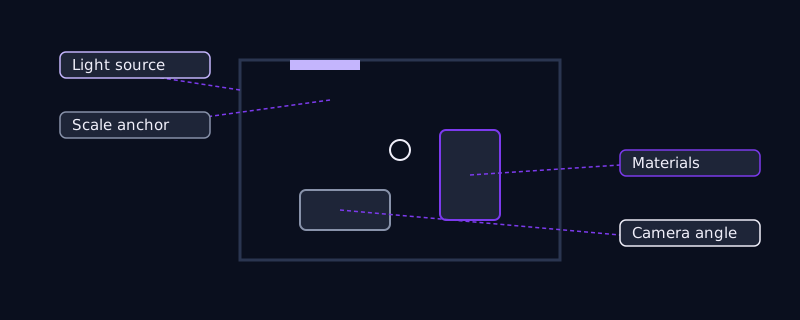
A prompt that holds up across most image tools follows a similar order to a product photography prompt: room type and use, style or design direction, key furniture and materials, light source and time of day, camera angle, and only then a rendering-style qualifier like "photorealistic" or "architectural photography." For example: "Living room, mid century modern, low walnut credenza and a boucle armchair, white oak herringbone floor, soft late afternoon light through a large window camera left, wide angle shot from doorway height, architectural photography." The qualifier at the end is doing comparatively little work here. The earlier, specific details are what actually separate a believable room from a generic one, and a prompt that leads with "photorealistic" but stays vague everywhere else usually looks less real than one that simply names its light source and materials plainly.
Virtual staging: prompting an existing empty room
Virtual staging, adding furniture to a photo of an empty or underfurnished room, is a different task from generating a room from nothing, because the actual room, its walls, windows, floor, and light, already exists and needs to stay exactly as photographed. Tools built for this, usually through masking or inpainting a specific area, work best when the prompt only describes what belongs in the empty space rather than the room itself: "add a light oak dining table with four upholstered chairs, centered under the window, matching the room's existing natural light direction." Redescribing the whole room in a staging prompt tends to invite the model to quietly change the walls or floor along with adding furniture, which a listing photo cannot afford, since the entire point of virtual staging is showing the real room, furnished, not a different room altogether.
Interior design concepts: prompting a room that does not exist yet
Concept generation, visualizing a renovation or a room that has not been built, is closer to standard image generation, and it is where the structure above matters most because there is no existing photo constraining the result. It is worth being explicit about what is fixed and what is flexible: a client's actual window placement and ceiling height are usually fixed, while furniture, color palette, and finishes are the point of the exercise. Naming the fixed elements in the prompt, even when they seem obvious, such as "the room has one window on the north wall and an eight foot ceiling," keeps successive generations comparable to each other rather than each one reinventing the room's basic shape along with its style.
Common mistakes
Leading a prompt with a stylistic label like "luxury" or "cozy" instead of the concrete details that actually create that impression, since the model has no consistent shared definition of what those words look like without specifics attached. Describing light only as "bright" or "well lit," which produces the flat, shadowless look that reads as artificial. Skipping scale entirely and getting furniture proportioned for the wrong size room. Rewriting the whole room in a virtual staging prompt when only the added furniture should be described, risking changes to walls, floor, or windows that a real listing photo cannot have altered.
Where this gets easier
Building a prompt like this by hand means remembering to specify light source, material names, scale anchors, and camera angle every time, in roughly the right order, for whichever tool is being used. Promptima's image prompt generator takes a plain description, such as "staged living room for a listing, mid century style, afternoon light," and expands it into the fuller structure above, tuned for the image tool specified, so the physical details that keep a room believable get included by default instead of only showing up when someone remembers to ask for them.
Frequently asked questions
Why do AI generated rooms look fake even when they are technically well composed?
Usually because of lighting and scale, not composition. Real rooms have one dominant light source with visible directional shadows, while a prompt that only asks for "bright" or "well lit" produces flat, shadowless light that reads as artificial. Vague furniture sizing relative to the room is the other common tell.
What is the difference between prompting for virtual staging and prompting for a new room design?
Virtual staging works from an existing photo and should only describe what is being added, since the room itself, walls, floor, windows, is already fixed and should not change. A new design concept has no existing photo to preserve, so the prompt needs to establish fixed elements like window placement and ceiling height itself if later generations need to stay consistent with each other.
Does naming a specific material really make a difference in the prompt?
Yes. A generic term like "wood floor" leaves the model to guess at plank width, grain, and finish, and it often guesses at a scale that does not match a real room. A specific material name, such as "white oak, herringbone pattern," gives the model something concrete to render at a believable scale instead.
Is there a faster way to write real estate and interior design prompts?
Promptima's image prompt generator expands a plain room description into a structured prompt covering light source, materials, scale, and camera angle, tuned for the image tool being used, instead of requiring each of those details to be remembered and ordered by hand every time.
Try Promptima’s image prompt generator for real estate and interiors →
✦ Try Promptima freeMore articles

Best AI Prompt Optimizer Tools in 2026 (And When to Use Each)
Prompt marketplaces, browser extensions, manual prompt engineering, and dedicated optimizers all solve a different version of the same problem. Here is how to tell which one you actually need.

How to Turn One Photo Into a Ready-to-Use AI Video Prompt
You have an image whose look you want to bring to life as a video. The problem is that video AI tools don’t read image prompts — they need camera, motion, and duration described in a completely different structure. Here’s how to bridge the two.