Single Prompts vs. Bulk Generation: When Batching AI Output Actually Saves You Time
August 28, 2026 · 9 min read
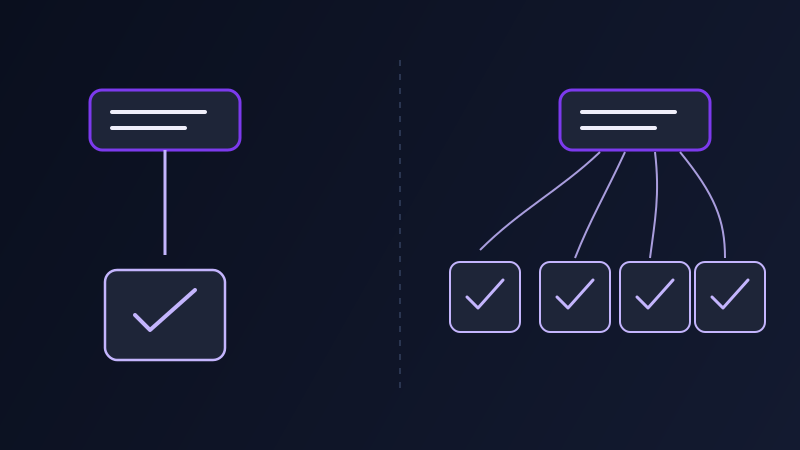
Most prompting advice, including most of what is on this site, quietly assumes you are writing one prompt to get one result. That assumption holds for most tasks. It stops holding the moment the job in front of you is not "write this one product description" but "write a description for every one of the two hundred SKUs in this catalog," or not "write this one week’s social caption" but "write a month’s worth in the same voice." At that point, writing each prompt by hand one at a time and running one template across a batch stop being interchangeable choices. They cost different amounts of time, they fail in different ways, and picking the wrong one for the size of the job in front of you is its own quiet source of wasted afternoons.
The default: one prompt, one result
Writing a single prompt, reading the result, and adjusting it if needed is the right approach for the overwhelming majority of AI tasks, and it stays the right approach even once bulk generation is available as an option. A one-off email, a single hero image, a specific paragraph that needs to sound exactly right — these are tasks where the whole point is giving that one output your full attention, and there is nothing to gain from templating something you are only going to produce once. The limitation shows up specifically at volume: writing prompt number thirty by hand costs almost exactly as much attention as writing prompt number one did, and in practice it usually costs more, because fatigue sets in and the twentieth product description quietly gets less careful thought than the third one did, even though nothing about the twentieth product actually deserved less care.
What bulk generation actually means
Bulk generation is easy to misdescribe as "generate the same prompt many times and hope for different, usable results," but that is not what it is, and treating it that way is exactly how batching goes wrong. Re-running one ambiguous prompt repeatedly just re-rolls the same randomness against the same unresolved gaps, the way asking Midjourney to try "a woman in her thirties" five times produces five different faces without ever pinning down which one you actually wanted. Real batching is the opposite move: you take one prompt template that has already been proven to work, and you run it against a list of distinct, known inputs — a product name, a client’s industry, a scene’s location — where only that one variable changes from row to row while the structure, tone, and constraints of the prompt stay identical across every single output. The randomness a bulk run produces is in the model’s phrasing, not in what the task is asking for.
Where batching earns its keep
The pattern that makes batching worth setting up is a bounded list of items that all need the same shape of output, differing from each other along one clear, known axis rather than needing individual creative judgment. An e-commerce catalog is the cleanest example: two hundred product descriptions that all need the same length, the same tone, and the same structure, varying only in the product name, material, and category actually being described. A content calendar works the same way — thirty days of captions in one consistent brand voice, each one built around that day’s specific topic rather than a fresh voice decision every time. Ad copy testing fits too, generating several headline variants for the same offer where the offer, audience, and constraint stay fixed and only the angle changes. So does a code prompt generator producing the same style of test scaffold or boilerplate function across many files in a project, where the convention should be identical file to file and only the function name and signature actually differ.
Where it quietly produces worse results
Batching fails in ways that are easy to miss because they look like success at first glance. Running a full batch before the template has been proven on even one or two individual items is the most common one: a flaw in the template — an awkward sentence for one kind of product name, a constraint that quietly breaks on a longer input — does not just affect one output, it reproduces exactly, in the same place, across every single row of the batch, and by the time it is noticed, fifty outputs need fixing instead of one. Genuinely subjective, one-off creative work is the second failure mode: a mood, a specific tone, a piece of copy that needs to feel handwritten rather than templated is exactly the kind of task that resists a fixed structure, and forcing it into one produces a batch of outputs that are all technically complete and all quietly generic in the same way. The third is checking only the first two or three results and calling the batch good, when an edge case in the underlying data — a product name with an unusual character, a description long enough to break a length constraint — tends to show up somewhere in the middle of a large batch, not conveniently at the front where a quick glance would catch it.

Building a batch that stays consistent
A batch that actually saves time instead of multiplying a mistake gets built in a specific order. Prove the template first, by hand, on two or three individual items — this step feels slower and it is the one people skip, which is also why it is the one that matters most. Once it works, name explicitly which parts of the prompt are fixed (the structure, the tone, the constraints, the output format) and which parts are variable (the one or two data points that genuinely differ item to item), because a template where that boundary is fuzzy is a template where a later fix to one output accidentally changes the shared structure everywhere else. Keep the variable in a clean, isolated slot in the prompt rather than woven unpredictably into the middle of a sentence, so it is obvious at a glance what is meant to change and what is not. Run a small sample of three to five items before committing to the full list, and deliberately pick a couple of likely edge cases for that sample — the longest product name on the list, the one entry with unusual data — rather than the easiest ones, since the easy ones were never going to expose the template’s actual weak point. Once the full batch runs, spot-check a spread of results across the whole set, not just the first few, since a flaw tied to a specific kind of input shows up wherever that input recurs, not necessarily near the start.
A worked example: one template, five outputs
Weak approach: writing five separate product description prompts from scratch, one at a time, re-deciding the tone, length, and structure freshly for each one. The five results come back inconsistent — different lengths, one noticeably more formal than the others, each one emphasizing different kinds of detail — because nothing forced them to share a structure beyond the fact that they describe similar products. Structured approach: build one template first — "Write a product description for [product name], a [category] made from [material]. Audience: online shoppers comparing similar products. Tone: confident, concise, no superlatives. Length: 40 to 60 words. Structure: an opening benefit statement, two supporting details, then a one-line call to browse." — and confirm it produces a strong result on one real product before touching the other four. Then run the same template five times, changing only the bracketed product name, category, and material each time. All five come back the same length, the same tone, and the same structure, differentiated only by the actual product being described, which is the entire point of batching in the first place.
Common mistakes
Running a full batch before validating the template on even a single individual item, so one structural flaw reproduces across every output instead of getting caught and fixed once. Treating repeated generation of the exact same unresolved, ambiguous prompt as bulk generation, when nothing about the request has actually been made specific — that is re-rolling randomness, not batching a defined list. Forcing genuinely subjective, case-by-case creative work into a fixed template and then being surprised that every result feels slightly generic in the same way. Checking only the first couple of results in a large batch instead of spot-checking a spread across the whole set, and missing a flaw that only appears on a specific kind of input. Letting the line between the template’s fixed structure and its variable slot blur, so that fixing one output’s wording accidentally rewrites the shared structure for the rest of the batch.
Neither approach is the more advanced one — a single, carefully considered prompt is still the right tool for anything you are only producing once, and no amount of batching infrastructure changes that. The judgment call is entirely about the shape of the job in front of you: a bounded list of items that share a structure and differ along one known variable is worth templating and running as a batch, and everything else is worth the individual attention a single prompt gives it. Promptima’s bulk generation, available on the Creator plan, is built specifically for the first case — running one proven prompt structure across an entire list in a single pass, rather than repeating the same setup by hand for every item on it.
Frequently asked questions
What is bulk or batch prompt generation?
Bulk generation means taking one prompt template that has already been proven to work and running it against a list of distinct, known inputs — a product name, a client’s industry, a scene’s location — where only that one variable changes between outputs while the structure, tone, and constraints of the prompt stay identical across the whole batch.
Is running the same prompt over and over the same thing as bulk generation?
No. Re-running one ambiguous prompt repeatedly just re-rolls the same randomness against the same unresolved gaps, producing different but equally unpredictable results. Bulk generation applies one fixed, already-validated structure to a defined list of known variables, so the only thing that changes row to row is the specific input the template was built to receive.
What kinds of tasks are actually a good fit for batching?
Tasks with a bounded list of items that all need the same shape of output, varying along one clear, known axis rather than needing case-by-case creative judgment — a product catalog, a month of social captions in one consistent voice, a set of ad headline variants for the same offer, or the same style of boilerplate code repeated across many files.
How do I know a prompt template is ready to run as a batch?
It has been proven on two or three individual items by hand first, the fixed and variable parts of the prompt are clearly separated, and it has been tested against a small sample that deliberately includes a likely edge case — the longest input on the list, or the one with unusual data — rather than only the easiest examples.
Try Promptima’s bulk generation on the Creator plan — run one proven template across a full list in a single pass →
✦ Try Promptima freeMore articles

Best AI Prompt Optimizer Tools in 2026 (And When to Use Each)
Prompt marketplaces, browser extensions, manual prompt engineering, and dedicated optimizers all solve a different version of the same problem. Here is how to tell which one you actually need.

How to Turn One Photo Into a Ready-to-Use AI Video Prompt
You have an image whose look you want to bring to life as a video. The problem is that video AI tools don’t read image prompts — they need camera, motion, and duration described in a completely different structure. Here’s how to bridge the two.