How to Write AI Tattoo Design Prompts That Translate to an Actual Tattoo
October 1, 2026 · 7 min read
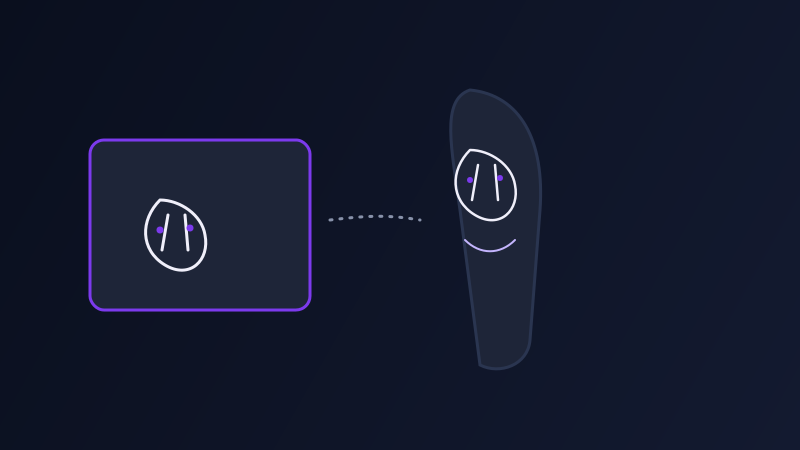
A tattoo design has to survive a translation that most AI-generated images never have to make: from a flat picture on a screen to a line and shading pattern a human artist can actually tattoo onto skin, at a specific size, in a specific spot on a body that curves. A gorgeous, highly detailed AI image can fail completely at that translation, full of gradients a tattoo machine cannot reproduce, line weights too thin to hold ink over time, and compositions that only make sense as a rectangle rather than wrapped around a forearm. Getting a usable tattoo design out of an AI image tool means prompting for the constraints of the medium, not just the look.
Why a beautiful AI image can still be a bad tattoo
Most AI image tools default toward rendering styles that look impressive on screen, soft gradients, fine atmospheric detail, subtle color blending, photographic lighting, none of which survive the actual tattooing process. Skin does not hold a soft gradient the way a glossy print does, ink spreads and fades over the lines a machine lays down, and extremely fine detail that reads clearly at a few inches on a monitor turns into an indistinguishable smudge once it is tattooed at real, often smaller, size and the skin ages a few years. A design that was never going to work on skin usually looks completely fine as a standalone image, which is exactly why it is easy to miss the problem until an artist points it out.
Specify the tattoo style by name, not by vibe
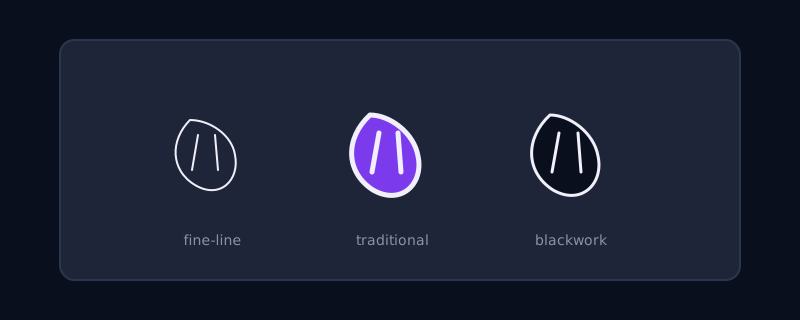
Tattooing has its own established style vocabulary, and naming the actual style gets you dramatically closer to something tattooable than a general aesthetic description does. Fine-line for thin, single-weight linework with minimal shading. American traditional for bold, uniform outlines and a limited, flat color palette. Blackwork for solid black fill and graphic negative space. Dotwork or stipple shading for texture built from dot density instead of gradients. Naming one of these, and asking explicitly for "clean, consistent line weight suitable for tattooing" and "solid color fills, no soft gradients," steers the model away from the photographic-rendering defaults that make a design impractical on skin.
Design for a body, not a rectangle
A design generated as a flat, centered image on a square canvas often does not actually fit the body part it is meant for. Specify the intended placement and let it shape the composition: a forearm piece benefits from a vertical, elongated layout; a design meant to wrap around a bicep needs to work as a curved band rather than a flat scene; a small ankle or wrist piece needs to be prompted as a simple, minimal design from the start rather than a detailed composition that gets shrunk down later and loses all its legibility. Mention the placement and approximate size directly in the prompt, since a design built for a six-inch forearm piece and one built for a two-inch wrist piece need fundamentally different levels of detail to hold up.
Getting a result you can actually hand to an artist
The most useful output for an actual tattoo session is not a single polished image but a clean reference an artist can adapt: ask explicitly for a plain or white background rather than a scene, since a busy background is extra pixels an artist has to mentally subtract. Requesting the design as "line art only, no color" alongside a separately-prompted colored or shaded version gives an artist both a clean stencil basis and a sense of intended shading, which is more useful than one image trying to do both jobs. Generating a few variations of the same concept at this stage, rather than committing to the first result, mirrors how a real consultation with a tattoo artist usually works anyway, with a handful of sketches to react to and refine rather than one final answer.
Common mistakes
Asking for photorealistic detail or soft lighting effects that have no way to survive being tattooed. Designing at a size and composition that doesn’t match where the tattoo will actually go on the body. Generating a single busy, full-color scene and expecting an artist to extract a clean line version from it. And skipping the step of naming an actual tattoo style, which leaves the model defaulting to its general illustration style rather than one built around ink, line weight, and skin.
Frequently asked questions
Why does my AI-generated tattoo design look good on screen but not work as an actual tattoo?
Most AI image tools default to photographic rendering styles with soft gradients and fine atmospheric detail, neither of which a tattoo machine can reproduce on skin. A design needs clean, consistent line weight and solid color fills instead of gradients to actually hold up once it is tattooed and ages.
What tattoo style terms should I use in an AI prompt?
Name an established tattoo style directly rather than describing a general look: fine-line, American traditional, blackwork, or dotwork are all recognized styles with specific visual conventions a model can follow more reliably than a vague aesthetic description.
Should I tell the AI tool where on my body the tattoo will go?
Yes. Mentioning the intended placement, like a forearm, bicep wrap, or wrist, and the approximate size lets the composition and level of detail match how the design will actually be worn, since a detailed piece meant for a large area will lose all legibility if shrunk down for a small one.
Should I ask for a colored design or a line-only version?
Both, as separate outputs. A line-art-only version with no color gives a tattoo artist a clean stencil basis to work from, while a separately-prompted shaded or colored version communicates intended shading. One image trying to serve both purposes at once is usually harder for an artist to use than two clear versions.
Try Promptima’s Image prompt tools free →
✦ Try Promptima freeMore articles

Best AI Prompt Optimizer Tools in 2026 (And When to Use Each)
Prompt marketplaces, browser extensions, manual prompt engineering, and dedicated optimizers all solve a different version of the same problem. Here is how to tell which one you actually need.

How to Turn One Photo Into a Ready-to-Use AI Video Prompt
You have an image whose look you want to bring to life as a video. The problem is that video AI tools don’t read image prompts — they need camera, motion, and duration described in a completely different structure. Here’s how to bridge the two.