How to Write AI Prompts for Text-to-3D Asset Generation That Produce a Usable Model, Not a Blob
October 12, 2026 · 9 min read
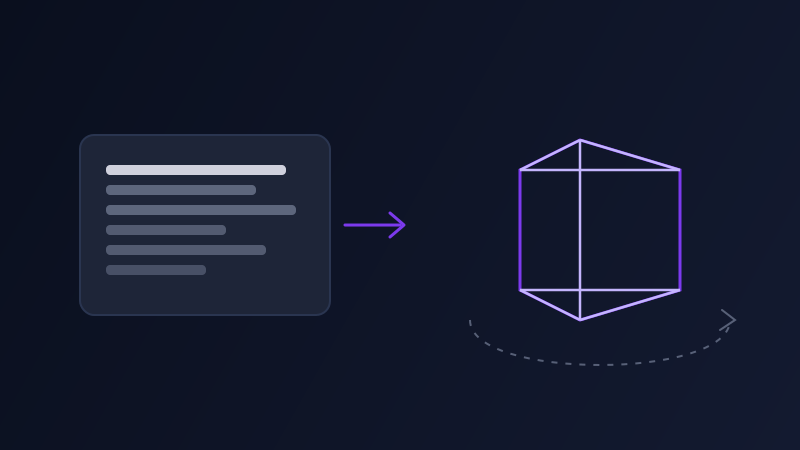
Text-to-3D generation, tools like Meshy, Luma's Genie, Tripo, and Rodin, has reached the point where a decent prompt can produce a usable game asset or print-ready model in under a minute, which is a genuinely new capability most people haven't built habits around yet. The instinct, understandably, is to prompt a 3D tool the same way you'd prompt an image generator: describe the subject, the style, maybe a material or two, and submit. That habit produces worse results in 3D than it does in 2D, because an image prompt only ever has to look right from one angle, the one the model renders, while a 3D model has to hold together from every angle someone might orbit around to, including the ones you never thought to describe.
Why an image prompt and a 3D prompt aren't the same request
A prompt like 'a worn leather messenger bag, brass buckles, warm studio lighting' tells an image generator everything it needs, because the output is a single flat picture and the model only has to get one viewpoint convincing. The same prompt handed to a text-to-3D tool has to be turned into an actual object with a back, a bottom, an inside, and a silhouette that reads correctly from above, none of which 'warm studio lighting' has any bearing on, since lighting is a 2D photography concept a 3D engine will either ignore or misapply as a baked-in texture. Image prompts describe how a scene looks. 3D prompts have to describe how an object is built, which is a different kind of description entirely.
What a 3D prompt needs that an image prompt doesn't
Form and proportion: a model needs explicit dimensional language, 'tall and narrow' versus 'squat and wide,' because without it the tool defaults to whatever proportion is most common for that object type, which is frequently wrong for a specific use case like a game asset that has to fit a defined footprint. Surface detail versus silhouette: naming which details need to be sculpted into the geometry itself, a seam, a hinge, a carved pattern, versus which can simply be a flat texture, since conflating the two produces models where important details vanish the moment they're viewed from an angle without the texture facing the camera. Base and orientation: most 3D tools default to an arbitrary resting pose, so a prompt that specifies how the object should sit, standing upright, lying flat, mid-stride, saves a rework pass. Intended use: a model meant for a game engine needs to say so, because that changes whether the tool optimizes for a clean, low-polygon mesh or a dense, highly detailed one meant for a still render, and guessing wrong means redoing the whole generation.

A worked example
Generic prompt: 'a futuristic motorcycle.' This usually returns a plausible-looking model from the default angle the tool shows first, but orbit around it and the proportions often read as off, the underside is undetailed, and the geometry doesn't tell you anything about scale. A better prompt: 'a compact single-seat futuristic motorcycle, low and wide stance, exposed frame rather than full fairing, the wheel wells should be sculpted into the geometry rather than a flat texture, resting upright on its wheels as if parked, optimized for a low-polygon game asset rather than a detailed still render.' The second version gives the tool a stance, tells it which details need real geometry, specifies the resting pose, and states the intended use, all of which an image prompt for the same bike would never have needed to mention.
Matching the prompt to the tool and the output you actually need
Tools built around game-asset pipelines, like Tripo and Meshy, respond well to explicit polygon-count and topology language, 'low-poly,' 'game-ready,' 'clean quad topology,' because that's the audience they're optimized for, and skipping that language leaves the tool to guess at a tradeoff between detail and file size it has no way of making correctly for your use case. Tools leaning toward visualization and concept work, like Luma's Genie, respond better to descriptive form language, the same kind of material and silhouette detail you'd use in a concept art brief, since the priority there is visual fidelity rather than a lean mesh. Image-to-3D workflows, where you upload a reference photo or concept sketch instead of writing from scratch, still benefit from a short text prompt alongside the image specifying orientation and which parts of the reference to trust, since the tool otherwise has to guess which angle of the source image represents the 'front' of the model.
Common mistakes
Writing a 3D prompt exactly like an image prompt, lighting and camera language included, which a 3D engine has no use for and will either ignore or bake in strangely. Describing only the front or the most photogenic angle of the object and assuming the tool will invent a sensible back, which it frequently does not, especially on asymmetric objects like vehicles or creatures. Leaving out intended use and then being surprised the mesh is either too dense to use in a real-time engine or too sparse to look right in a close-up render. And skipping orientation entirely, which means every generation needs a separate rework pass just to stand the model up or lay it down the way the project actually needs it.
Where Promptima handles this
The gap between a good idea for a 3D model and a prompt that actually produces one is less about creativity and more about knowing which details a 3D tool needs that an image tool never asked for: form, orientation, which parts need real geometry versus a texture, and what the model is ultimately for. Promptima's prompt optimizer asks for that context up front and builds it into the prompt it generates, rather than handing back an image-style description that happens to be aimed at a 3D tool.
Frequently asked questions
Can I use the same prompt for a text-to-image tool and a text-to-3D tool?
Not effectively. An image prompt only has to describe one convincing viewpoint, including lighting and camera framing that a 3D engine has no use for. A 3D prompt has to describe how the object is actually built, its proportions, which details are real geometry versus a flat texture, and how it's oriented, none of which an image prompt was written to include.
What is the most common reason a text-to-3D model comes out looking wrong from certain angles?
The prompt usually only described the most photogenic or 'front' view of the object and left the tool to guess at the rest. Asymmetric objects especially need the back, underside, or less obvious sides described, or named as needing real geometry, or the tool fills them in with something generic or underdetailed.
Should I mention polygon count or topology in a text-to-3D prompt?
Yes, if the model is going into a game engine or any real-time application, since the tool otherwise has no way of knowing whether to optimize for a lean, game-ready mesh or a dense one meant for a still render. For visualization or concept work where the final use is just a rendered image, that language matters less.
Do text-to-3D tools need to know what the model will be used for?
Yes, it changes how the tool balances detail against mesh density. A model meant for a real-time game engine needs a clean, lower-polygon mesh, while one meant for a detailed still render or 3D print can carry much more geometric detail. Leaving this out means the tool guesses, and getting that guess wrong usually means generating again.
Try Promptima's prompt optimizer to turn a rough idea into a prompt structured for the 3D tool you're using →
✦ Try Promptima freeMore articles

Best AI Prompt Optimizer Tools in 2026 (And When to Use Each)
Prompt marketplaces, browser extensions, manual prompt engineering, and dedicated optimizers all solve a different version of the same problem. Here is how to tell which one you actually need.

How to Turn One Photo Into a Ready-to-Use AI Video Prompt
You have an image whose look you want to bring to life as a video. The problem is that video AI tools don’t read image prompts — they need camera, motion, and duration described in a completely different structure. Here’s how to bridge the two.