Vertical vs. Square vs. Widescreen: Why the Same AI Prompt Composes Differently for Each Aspect Ratio
September 3, 2026 · 9 min read
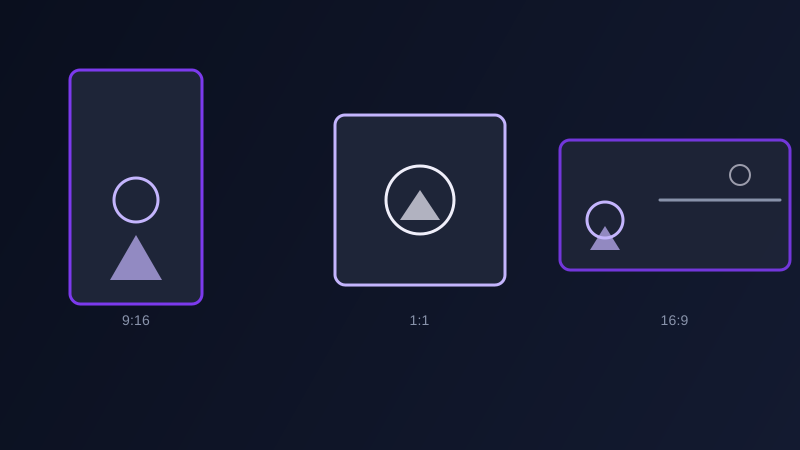
Generate an image or a video clip once, then crop it for whichever platform needs it, is how most people handle aspect ratio, and it works fine right up until the composition itself doesn't survive the crop. A subject centered for a square Instagram post gets its edges sliced off in a vertical Reel. A wide establishing shot built for YouTube loses its entire point once it's squeezed into a 1:1 frame. The aspect ratio isn't just a canvas shape applied after the fact, it's part of what the prompt needs to account for before the model composes anything, because a model given a 9:16 target and one given a 16:9 target for the exact same prompt will genuinely compose the scene differently, not just crop the same scene two different ways.
Why cropping after generation usually goes wrong
A composition built for one aspect ratio is built around that ratio's specific proportions: how much headroom a portrait needs, how far a subject can sit from center before a square crop clips it, how much horizontal space a wide shot needs to feel like an establishing shot instead of a cramped one. Cropping that composition into a different ratio after the fact doesn't just trim the edges, it removes the specific spacing the original composition was built around, which is why a centered product shot generated for a square post so often loses an edge of the product once it's cropped down to a vertical Story.
What actually changes in the prompt for vertical (9:16)
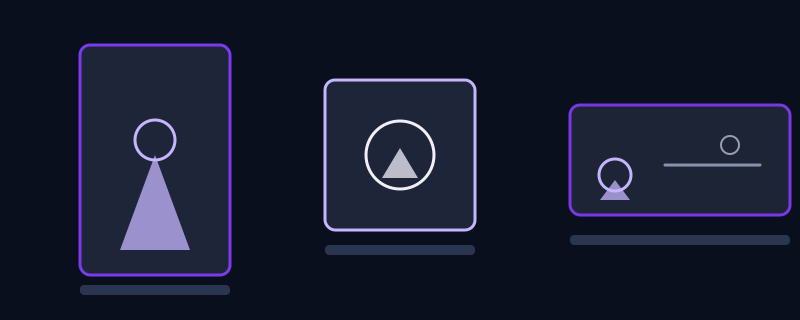
Vertical framing rewards a single dominant subject stacked through the frame, foreground, subject, and background arranged top to bottom rather than side to side, since there's very little horizontal room to spread anything out. A prompt built for 9:16 should describe where the subject sits vertically, "subject filling the lower two-thirds of the frame, headroom above," rather than describing left-right placement the way a widescreen prompt would. Skipping this and reusing a horizontally-composed prompt for a vertical generation usually produces a scene with the subject awkwardly small in the middle of a tall, mostly empty frame.
What actually changes for square (1:1)
Square framing has no dominant axis, which makes it the most forgiving ratio for a centered, symmetrical subject and the least forgiving for anything that needs to establish a sense of place. A product shot, a portrait, or a single object with balanced negative space on both sides works well here. A prompt written for a square frame should specify that the subject sits centered with even margin on all sides, since a composition built with intentional off-center weighting, common in wider shots, tends to feel unbalanced once it's boxed into an even square.
What actually changes for widescreen (16:9)
Widescreen is the ratio built for spreading a scene out horizontally: an establishing shot, a landscape, a subject with room to move across the frame rather than through it. In video specifically, 16:9 is where a horizontal camera move, a pan or a lateral track, actually has room to do something, while the same move in a vertical frame has almost nowhere to go before it runs into the edge. A prompt for a 16:9 generation benefits from describing what fills the left and right thirds of the frame, not just the center, since that horizontal space is the entire reason to choose the ratio in the first place.
Setting the ratio in the tool instead of describing it in words
Nearly every current image and video tool has an actual parameter for aspect ratio, Midjourney's --ar flag, a dropdown in Runway or Kling, a size setting in most text-to-image tools, and that setting should be doing the actual ratio work, not a written phrase like "vertical format" typed into the prompt itself. Written descriptions of ratio get followed inconsistently at best; the dedicated parameter reliably sets the canvas the model composes into. The prompt's job is to describe a composition that makes sense for whatever ratio the parameter has already set, not to ask for the ratio in words as well.
When one generation actually can serve more than one platform
Some content survives a crop across ratios: an abstract background, a texture, or a scene with no directional subject and generous, even negative space around the center can often be generated once at a middle ratio and cropped both wider and taller without losing anything essential. Anything with a clear directional subject, a face looking a certain way, a product placed off-center, an establishing shot with a horizon line, does not survive that treatment, and is worth generating separately for each ratio it actually needs to appear in.
Common mistakes
Writing a wide, horizontally-spread prompt and then setting the tool's ratio to 9:16, producing a subject stranded in the middle of a tall frame with nothing on either side of it. Centering a subject for a square post and assuming it will crop cleanly into a vertical Story, then finding the edges clipped. Describing the aspect ratio in the prompt text instead of using the tool's actual ratio setting, and getting an inconsistent result. Generating once at a default ratio and reusing the same file across every platform regardless of how differently each one crops it.
Promptima's prompt generator asks which platform a piece is headed for before writing the prompt, and adjusts the composition instructions, not just the output dimensions, to match what actually holds up at that ratio, instead of writing one composition and leaving the cropping to chance afterward.
Frequently asked questions
Does changing the aspect ratio actually change what the AI generates, not just how it's cropped?
Yes, when the ratio is set through the tool's own parameter rather than applied as a crop afterward. A model asked to compose within a 9:16 canvas builds the scene differently than one composing for 16:9, arranging the subject and background to fit that specific shape rather than producing the same scene and having it trimmed down later.
Which aspect ratio should I use for Instagram Reels or TikTok versus YouTube?
Reels, TikTok, and Stories are almost universally 9:16 (vertical). Standard YouTube video is 16:9 (widescreen), though YouTube Shorts uses the same 9:16 vertical format as the other short-form platforms. Instagram feed posts commonly use 1:1 (square) or 4:5, though 9:16 also works there for Reels specifically.
Can I generate one image or video and just crop it for every platform?
Only for content with no directional subject and generous, even negative space, like an abstract background or texture. Anything with a clear subject, a face, a product, an establishing shot with a horizon, tends to lose critical framing when cropped into a different ratio than it was composed for, so it's usually worth generating separately per ratio.
Should I describe the aspect ratio in the prompt itself?
Better to use the tool's actual aspect ratio parameter, like Midjourney's --ar flag or a dropdown setting in most video tools, since a written description of ratio in the prompt text gets followed inconsistently. Use the prompt to describe the composition that fits the ratio you've already set, not to ask for the ratio itself.
Try Promptima's prompt generator, it adjusts composition for the platform you're targeting →
✦ Try Promptima freeMore articles

Best AI Prompt Optimizer Tools in 2026 (And When to Use Each)
Prompt marketplaces, browser extensions, manual prompt engineering, and dedicated optimizers all solve a different version of the same problem. Here is how to tell which one you actually need.

How to Turn One Photo Into a Ready-to-Use AI Video Prompt
You have an image whose look you want to bring to life as a video. The problem is that video AI tools don’t read image prompts — they need camera, motion, and duration described in a completely different structure. Here’s how to bridge the two.